

10 Questions to Ask Before Spending $10,000 on a New Air Conditioner Replacing your air conditioner is a significant investment, and you deserve to feel confident about what you’re getting. When estimates vary, comparing prices is only the beginning. Even contractors offering the same equipment can deliver different results depending on how they evaluate your home and complete the installation. At Birch’s Air Conditioning & Heating, we’ve served Southwest Florida homeowners since 1983. We believe choosing a new A/C should feel straightforward, with clear explanations and practical recommendations. These 10 questions can help you understand your options and choose a contractor with confidence. 1. How Did You Determine the Right Size for My Home? Your new air conditioner shouldn’t automatically match the size of your existing system. Your home’s insulation, windows, sun exposure, construction, and cooling needs all affect the appropriate equipment size. Ask whether your contractor will perform a Manual J load calculation to guide the recommendation. An oversized system can cool too quickly without adequately removing humidity, while an undersized system may struggle to maintain comfort during the hottest weather. Proper sizing helps your equipment provide the cooling and moisture control your home needs. 2. Have You Inspected My Ductwork? Even an excellent air conditioner can struggle when connected to leaking, restricted, or poorly sized ducts. Your contractor should evaluate the accessible supply and return ductwork and explain any problems that could affect your new system’s performance. Ask whether your ducts need repairs, modifications, or replacement—and why. Sometimes targeted improvements are enough. You should understand the condition of your ductwork before agreeing to additional work or assuming everything can stay as it is. 3. Will You Check Airflow and Static Pressure? Static pressure describes the resistance your system encounters as it moves air through the ducts. Excessive resistance can contribute to uneven cooling, noise, reduced efficiency, and unnecessary equipment strain. Ask how your contractor will measure static pressure and verify airflow against the equipment manufacturer’s requirements. These checks help identify restrictions and confirm that your new system can distribute conditioned air properly throughout your home. 4. Why Are You Recommending This System? Single-stage, two-stage, and variable-capacity systems offer different combinations of price, efficiency, and comfort control. Your contractor should explain those differences in everyday language and connect the recommendation to your priorities. Discuss concerns such as humidity, warm bedrooms, noise, and energy use. The right recommendation should reflect your home and budget, with a clear explanation of what you gain by choosing a more expensive option. 5. What Does the Installation Price Include? A detailed written proposal makes estimates easier to compare and helps prevent surprises. Ask your contractor to identify what will be replaced, what will be reused, and which improvements are included. Depending on your installation, clarify whether the price covers: Duct modifications and new plenums. Refrigerant piping and related preparation. Drainage improvements and safety switches. Thermostat installation and setup. Permits, equipment removal, and startup testing. Ask what circumstances could result in additional charges and how those changes would be approved. If you’re unsure how two proposals compare, contact Birch’s Air for a replacement consultation and a clear explanation of your options. 6. Will You Replace or Reuse the Refrigerant Lines? Refrigerant lines connect your indoor and outdoor equipment. Existing lines may be suitable for reuse, but your contractor should assess their size, condition, and compatibility with the proposed system. Ask how the lines will be prepared, pressure-tested, and evacuated according to manufacturer requirements. These steps help protect the system from leaks, moisture, and contaminants that can affect reliability. 7. How Will You Confirm Everything Works Correctly? A completed installation should include more than turning on the equipment and checking for cool air. Ask whether the crew follows a documented startup procedure and records the results. That process should include appropriate checks of: Refrigerant charge and airflow. Static pressure and electrical operation. Condensate drainage and safety controls. Thermostat settings and system operation. Before the crew leaves, you should also receive an explanation of how to operate your thermostat and maintain your system. 8. Who Will Install My Air Conditioner? Ask whether employees or subcontractors will perform the installation, who supervises the work, and who handles any corrections. Either arrangement should come with clear accountability and technicians qualified to install your equipment. You should also verify the contractor’s licensing and insurance. Knowing who is responsible for your project helps you feel comfortable with both the installation and the support afterward. 9. What Does the Warranty Actually Cover? A manufacturer’s parts warranty doesn’t necessarily cover labor, refrigerant, or every expense associated with a repair. Ask for written details so you understand the protection included with your purchase. Review these items before signing: Parts and labor coverage periods. Registration deadlines and responsibility. Maintenance requirements and exclusions. Potential service charges and refrigerant costs. Who to contact for warranty service. 10. Would You Recommend This System for Your Own Home? This question gives your contractor an opportunity to explain the reasoning behind the proposal. Would they prioritize duct improvements, spend more for enhanced humidity control, or choose a simpler system? A helpful answer should explain the benefits and limitations of each option without pressuring you. You deserve enough information to decide which improvements are worth the investment for your household. Choose a Company That Welcomes Your Questions Your contractor’s experience, reputation, and willingness to explain the work matter. Look for thoughtful answers, a clear written proposal, and a company prepared to support you after installation. At Birch’s Air, our approach is to: Evaluate your home’s cooling requirements. Inspect existing ductwork and recommend practical improvements. Explain equipment options that fit your needs and budget. Provide professional installation and transparent pricing. Stand behind our work. Feel Confident About Your Next A/C Investment If you’re considering a replacement, schedule an evaluation with Birch’s Air Conditioning & Heating. We’ll help you understand your home’s needs, review your options, and make an informed decision without unnecessary pressure. Locally owned and serving Southwest Florida since 1983, we proudly help homeowners in Port Charlotte, Punta Gorda, Englewood, Rotonda, and surrounding communities enjoy dependable comfort. Contact Birch’s Air today to schedule your A/C replacement consultation.
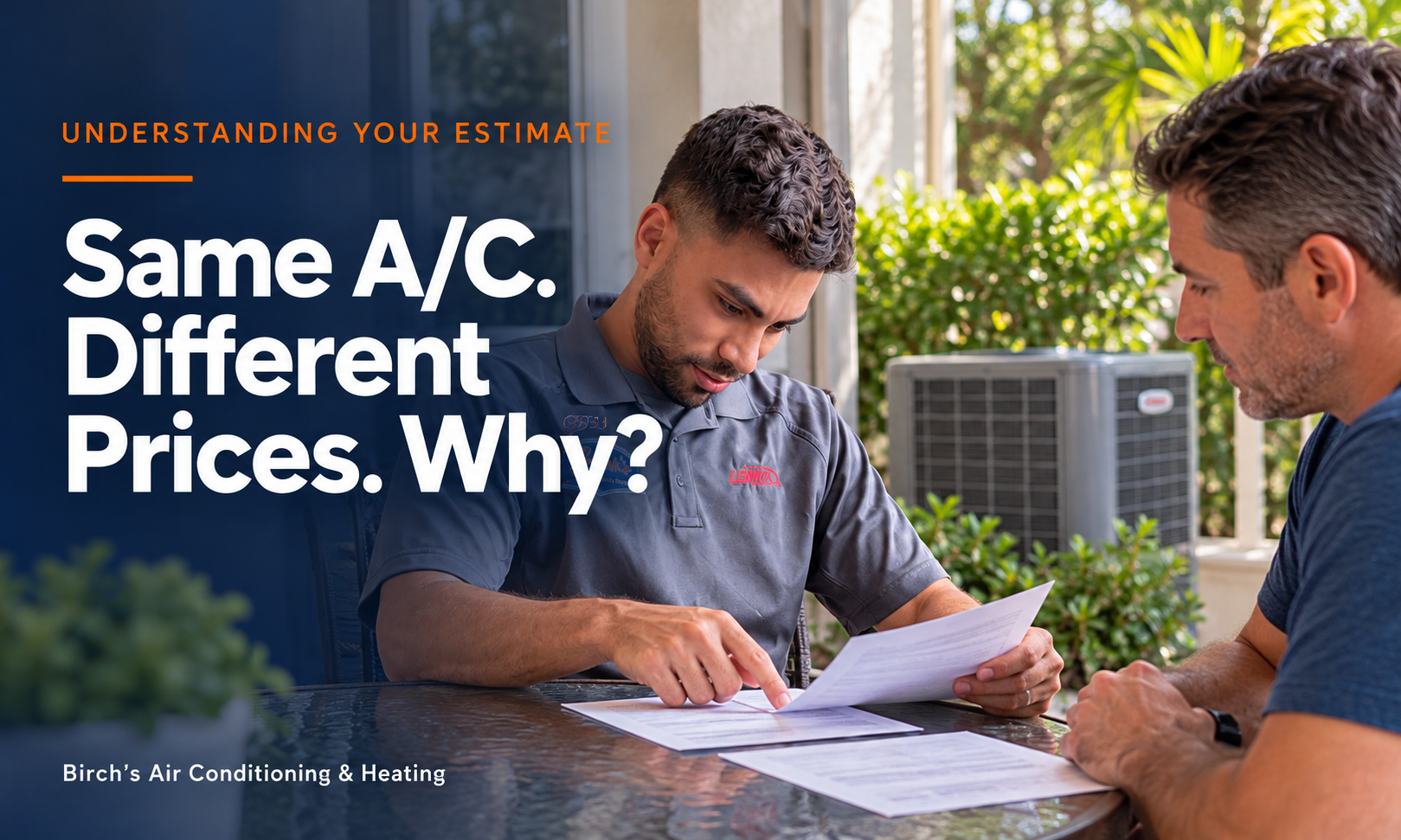
Why Are AC Replacement Quotes So Different? A Southwest Florida Homeowner’s Guide You’ve decided to replace your air conditioner, contacted a few local companies, and received three estimates. One is $8,500, another is $10,000, and the third is $12,000. All three recommend a three-ton system, so why are the prices thousands of dollars apart? It’s a fair question, especially when you’re trying to make a smart investment in your home’s comfort. At Birch’s Air Conditioning & Heating, we want you to feel confident about both the equipment you choose and the company installing it. Understanding what each proposal includes—and why certain work is recommended—can make those price differences easier to evaluate. Here’s what to look for before making your decision. The Same Size AC Doesn’t Mean the Same Installation It’s natural to compare equipment brands, efficiency ratings, and prices first, but those details tell only part of the story. Two systems with the same cooling capacity can offer different features, warranty coverage, and levels of humidity control. Even when contractors recommend identical equipment, their installation proposals may include different work. One estimate might cover replacing the equipment and reconnecting existing components, while another also addresses restricted return airflow, drainage problems, or ductwork issues. Those improvements can influence how well your new system performs. Before comparing the final prices, make sure you understand the complete installation each contractor is proposing. What Can Make One Estimate Higher? A higher estimate should come with a clear explanation of the additional value. Differences between proposals may include: Equipment selection: Different models, efficiency ratings, and comfort features. Ductwork and airflow: Repairs, modifications, or improvements to return airflow. Refrigerant piping: Replacing existing lines or preparing them for reuse when appropriate. Electrical work: Updates to connections, disconnects, or other necessary components. Drainage protection: Condensate drain improvements and overflow safety controls. Installation and testing: Labor, startup procedures, and performance checks. Permits and warranties: Permit costs and the scope of parts and labor coverage. Company operating costs vary as well, so price alone won’t tell you which contractor offers the best installation. A higher quote doesn’t automatically mean better workmanship, and a lower quote doesn’t necessarily mean something is missing. What matters is whether the proposed work addresses your home’s needs and whether the contractor explains it clearly. Give the Contractor You Trust Another Conversation Perhaps one company answered your questions thoroughly, evaluated your existing system carefully, and made you feel comfortable—but its estimate came in higher. Before crossing that company off your list, give it an opportunity to explain the difference. You may discover that its proposal includes important work or coverage that another estimate leaves out. You could say, “I feel most comfortable with your company, but I received a lower estimate. Can we compare what’s included and see whether there’s an option that fits my budget?” That opens the door to a useful discussion about equipment choices, installation needs, and possible savings. A trustworthy contractor should welcome your questions and help you understand your options. Can You Negotiate an AC Replacement Estimate? You can certainly ask about pricing flexibility, available promotions, or alternative systems. Sometimes choosing equipment with fewer premium features can reduce the upfront cost while still meeting your comfort needs. The key is to understand the tradeoffs and preserve the installation work necessary for the system to operate properly. Ask which items are essential, which are optional, and how any proposed changes would affect performance or warranty coverage. Any agreed adjustments should appear in the written estimate so everyone understands the scope of work. If you’re unsure how two proposals compare, contact Birch’s Air for a second opinion and a straightforward explanation of your options. Installation Details Worth Checking Regardless of which company you choose, make sure its proposal addresses the details that affect comfort, operating costs, and long-term reliability. These questions can help you compare estimates more confidently: Proper equipment sizing: How did the contractor determine the right cooling capacity for your home? Supply and return airflow: Can the existing airflow support the proposed equipment? Ductwork condition: Were leaks, restrictions, or damaged sections evaluated? Refrigerant piping and charging: What will be reused or replaced, and how will the refrigerant charge be checked? Condensate drainage and safety controls: How will water drain, and what overflow protection is included? Required permits and installation testing: Who handles permits, and how will system operation be verified? Clear warranty coverage: What parts and labor are covered, for how long, and under what conditions? You don’t need to become an HVAC expert to make a good decision. You simply need clear answers about what you’re purchasing and why it’s recommended. A detailed written proposal makes those answers easier to review and helps prevent misunderstandings. When Paying a Little More May Make Sense Imagine comparing a $9,500 proposal with one for $10,200. The $700 difference works out to approximately $5.83 per month when spread over ten years. That isn’t a financing payment or a guarantee of savings, but it can help put the upfront difference into perspective. If that additional cost covers necessary airflow improvements, more complete installation work, or stronger labor warranty coverage, it may be worthwhile. The higher price should still come with a clear explanation of the value you’re receiving. Ask the contractor to show you what the difference provides so you can decide whether it matters for your home. Honest Answers From Birch’s Air Since 1983, Birch’s Air Conditioning & Heating has helped Southwest Florida homeowners make informed decisions about their comfort. We believe a good recommendation begins with understanding your home, evaluating your existing system and ductwork, and listening to your concerns about performance and budget. Our goal is to recommend improvements that make sense for your situation. You shouldn’t feel pressured to purchase the most expensive equipment or replace ductwork without a clear explanation of why it’s needed. Whether you’re considering your first estimate or comparing several proposals, you deserve practical options and honest answers. We’re happy to discuss your concerns and help you understand the work we recommend. Get Clarity Before Choosing Your New AC System Comparing AC replacement estimates? Contact Birch’s Air to schedule an evaluation or request a second opinion. We’ll explain our recommendations, answer your questions, and help you find the right balance of comfort, installation quality, and price. We proudly serve Port Charlotte, Punta Gorda, Englewood, Rotonda, and surrounding Southwest Florida communities. Let’s find the right system for your home and make sure it’s installed the right way.
10 Questions to Ask Before Spending $10,000 on a New Air Conditioner Replacing your air conditioner is a significant investment, and you deserve to feel confident about what you’re getting. When estimates vary, comparing prices is only the beginning. Even contractors offering the same equipment can deliver different results depending on how they evaluate your home and complete the installation. At Birch’s Air Conditioning & Heating, we’ve served Southwest Florida homeowners since 1983. We believe choosing a new A/C should feel straightforward, with clear explanations and practical recommendations. These 10 questions can help you understand your options and choose a contractor with confidence. 1. How Did You Determine the Right Size for My Home? Your new air conditioner shouldn’t automatically match the size of your existing system. Your home’s insulation, windows, sun exposure, construction, and cooling needs all affect the appropriate equipment size. Ask whether your contractor will perform a Manual J load calculation to guide the recommendation. An oversized system can cool too quickly without adequately removing humidity, while an undersized system may struggle to maintain comfort during the hottest weather. Proper sizing helps your equipment provide the cooling and moisture control your home needs. 2. Have You Inspected My Ductwork? Even an excellent air conditioner can struggle when connected to leaking, restricted, or poorly sized ducts. Your contractor should evaluate the accessible supply and return ductwork and explain any problems that could affect your new system’s performance. Ask whether your ducts need repairs, modifications, or replacement—and why. Sometimes targeted improvements are enough. You should understand the condition of your ductwork before agreeing to additional work or assuming everything can stay as it is. 3. Will You Check Airflow and Static Pressure? Static pressure describes the resistance your system encounters as it moves air through the ducts. Excessive resistance can contribute to uneven cooling, noise, reduced efficiency, and unnecessary equipment strain. Ask how your contractor will measure static pressure and verify airflow against the equipment manufacturer’s requirements. These checks help identify restrictions and confirm that your new system can distribute conditioned air properly throughout your home. 4. Why Are You Recommending This System? Single-stage, two-stage, and variable-capacity systems offer different combinations of price, efficiency, and comfort control. Your contractor should explain those differences in everyday language and connect the recommendation to your priorities. Discuss concerns such as humidity, warm bedrooms, noise, and energy use. The right recommendation should reflect your home and budget, with a clear explanation of what you gain by choosing a more expensive option. 5. What Does the Installation Price Include? A detailed written proposal makes estimates easier to compare and helps prevent surprises. Ask your contractor to identify what will be replaced, what will be reused, and which improvements are included. Depending on your installation, clarify whether the price covers: Duct modifications and new plenums. Refrigerant piping and related preparation. Drainage improvements and safety switches. Thermostat installation and setup. Permits, equipment removal, and startup testing. Ask what circumstances could result in additional charges and how those changes would be approved. If you’re unsure how two proposals compare, contact Birch’s Air for a replacement consultation and a clear explanation of your options. 6. Will You Replace or Reuse the Refrigerant Lines? Refrigerant lines connect your indoor and outdoor equipment. Existing lines may be suitable for reuse, but your contractor should assess their size, condition, and compatibility with the proposed system. Ask how the lines will be prepared, pressure-tested, and evacuated according to manufacturer requirements. These steps help protect the system from leaks, moisture, and contaminants that can affect reliability. 7. How Will You Confirm Everything Works Correctly? A completed installation should include more than turning on the equipment and checking for cool air. Ask whether the crew follows a documented startup procedure and records the results. That process should include appropriate checks of: Refrigerant charge and airflow. Static pressure and electrical operation. Condensate drainage and safety controls. Thermostat settings and system operation. Before the crew leaves, you should also receive an explanation of how to operate your thermostat and maintain your system. 8. Who Will Install My Air Conditioner? Ask whether employees or subcontractors will perform the installation, who supervises the work, and who handles any corrections. Either arrangement should come with clear accountability and technicians qualified to install your equipment. You should also verify the contractor’s licensing and insurance. Knowing who is responsible for your project helps you feel comfortable with both the installation and the support afterward. 9. What Does the Warranty Actually Cover? A manufacturer’s parts warranty doesn’t necessarily cover labor, refrigerant, or every expense associated with a repair. Ask for written details so you understand the protection included with your purchase. Review these items before signing: Parts and labor coverage periods. Registration deadlines and responsibility. Maintenance requirements and exclusions. Potential service charges and refrigerant costs. Who to contact for warranty service. 10. Would You Recommend This System for Your Own Home? This question gives your contractor an opportunity to explain the reasoning behind the proposal. Would they prioritize duct improvements, spend more for enhanced humidity control, or choose a simpler system? A helpful answer should explain the benefits and limitations of each option without pressuring you. You deserve enough information to decide which improvements are worth the investment for your household. Choose a Company That Welcomes Your Questions Your contractor’s experience, reputation, and willingness to explain the work matter. Look for thoughtful answers, a clear written proposal, and a company prepared to support you after installation. At Birch’s Air, our approach is to: Evaluate your home’s cooling requirements. Inspect existing ductwork and recommend practical improvements. Explain equipment options that fit your needs and budget. Provide professional installation and transparent pricing. Stand behind our work. Feel Confident About Your Next A/C Investment If you’re considering a replacement, schedule an evaluation with Birch’s Air Conditioning & Heating. We’ll help you understand your home’s needs, review your options, and make an informed decision without unnecessary pressure. Locally owned and serving Southwest Florida since 1983, we proudly help homeowners in Port Charlotte, Punta Gorda, Englewood, Rotonda, and surrounding communities enjoy dependable comfort. Contact Birch’s Air today to schedule your A/C replacement consultation.
Why Are AC Replacement Quotes So Different? A Southwest Florida Homeowner’s Guide You’ve decided to replace your air conditioner, contacted a few local companies, and received three estimates. One is $8,500, another is $10,000, and the third is $12,000. All three recommend a three-ton system, so why are the prices thousands of dollars apart? It’s a fair question, especially when you’re trying to make a smart investment in your home’s comfort. At Birch’s Air Conditioning & Heating, we want you to feel confident about both the equipment you choose and the company installing it. Understanding what each proposal includes—and why certain work is recommended—can make those price differences easier to evaluate. Here’s what to look for before making your decision. The Same Size AC Doesn’t Mean the Same Installation It’s natural to compare equipment brands, efficiency ratings, and prices first, but those details tell only part of the story. Two systems with the same cooling capacity can offer different features, warranty coverage, and levels of humidity control. Even when contractors recommend identical equipment, their installation proposals may include different work. One estimate might cover replacing the equipment and reconnecting existing components, while another also addresses restricted return airflow, drainage problems, or ductwork issues. Those improvements can influence how well your new system performs. Before comparing the final prices, make sure you understand the complete installation each contractor is proposing. What Can Make One Estimate Higher? A higher estimate should come with a clear explanation of the additional value. Differences between proposals may include: Equipment selection: Different models, efficiency ratings, and comfort features. Ductwork and airflow: Repairs, modifications, or improvements to return airflow. Refrigerant piping: Replacing existing lines or preparing them for reuse when appropriate. Electrical work: Updates to connections, disconnects, or other necessary components. Drainage protection: Condensate drain improvements and overflow safety controls. Installation and testing: Labor, startup procedures, and performance checks. Permits and warranties: Permit costs and the scope of parts and labor coverage. Company operating costs vary as well, so price alone won’t tell you which contractor offers the best installation. A higher quote doesn’t automatically mean better workmanship, and a lower quote doesn’t necessarily mean something is missing. What matters is whether the proposed work addresses your home’s needs and whether the contractor explains it clearly. Give the Contractor You Trust Another Conversation Perhaps one company answered your questions thoroughly, evaluated your existing system carefully, and made you feel comfortable—but its estimate came in higher. Before crossing that company off your list, give it an opportunity to explain the difference. You may discover that its proposal includes important work or coverage that another estimate leaves out. You could say, “I feel most comfortable with your company, but I received a lower estimate. Can we compare what’s included and see whether there’s an option that fits my budget?” That opens the door to a useful discussion about equipment choices, installation needs, and possible savings. A trustworthy contractor should welcome your questions and help you understand your options. Can You Negotiate an AC Replacement Estimate? You can certainly ask about pricing flexibility, available promotions, or alternative systems. Sometimes choosing equipment with fewer premium features can reduce the upfront cost while still meeting your comfort needs. The key is to understand the tradeoffs and preserve the installation work necessary for the system to operate properly. Ask which items are essential, which are optional, and how any proposed changes would affect performance or warranty coverage. Any agreed adjustments should appear in the written estimate so everyone understands the scope of work. If you’re unsure how two proposals compare, contact Birch’s Air for a second opinion and a straightforward explanation of your options. Installation Details Worth Checking Regardless of which company you choose, make sure its proposal addresses the details that affect comfort, operating costs, and long-term reliability. These questions can help you compare estimates more confidently: Proper equipment sizing: How did the contractor determine the right cooling capacity for your home? Supply and return airflow: Can the existing airflow support the proposed equipment? Ductwork condition: Were leaks, restrictions, or damaged sections evaluated? Refrigerant piping and charging: What will be reused or replaced, and how will the refrigerant charge be checked? Condensate drainage and safety controls: How will water drain, and what overflow protection is included? Required permits and installation testing: Who handles permits, and how will system operation be verified? Clear warranty coverage: What parts and labor are covered, for how long, and under what conditions? You don’t need to become an HVAC expert to make a good decision. You simply need clear answers about what you’re purchasing and why it’s recommended. A detailed written proposal makes those answers easier to review and helps prevent misunderstandings. When Paying a Little More May Make Sense Imagine comparing a $9,500 proposal with one for $10,200. The $700 difference works out to approximately $5.83 per month when spread over ten years. That isn’t a financing payment or a guarantee of savings, but it can help put the upfront difference into perspective. If that additional cost covers necessary airflow improvements, more complete installation work, or stronger labor warranty coverage, it may be worthwhile. The higher price should still come with a clear explanation of the value you’re receiving. Ask the contractor to show you what the difference provides so you can decide whether it matters for your home. Honest Answers From Birch’s Air Since 1983, Birch’s Air Conditioning & Heating has helped Southwest Florida homeowners make informed decisions about their comfort. We believe a good recommendation begins with understanding your home, evaluating your existing system and ductwork, and listening to your concerns about performance and budget. Our goal is to recommend improvements that make sense for your situation. You shouldn’t feel pressured to purchase the most expensive equipment or replace ductwork without a clear explanation of why it’s needed. Whether you’re considering your first estimate or comparing several proposals, you deserve practical options and honest answers. We’re happy to discuss your concerns and help you understand the work we recommend. Get Clarity Before Choosing Your New AC System Comparing AC replacement estimates? Contact Birch’s Air to schedule an evaluation or request a second opinion. We’ll explain our recommendations, answer your questions, and help you find the right balance of comfort, installation quality, and price. We proudly serve Port Charlotte, Punta Gorda, Englewood, Rotonda, and surrounding Southwest Florida communities. Let’s find the right system for your home and make sure it’s installed the right way.
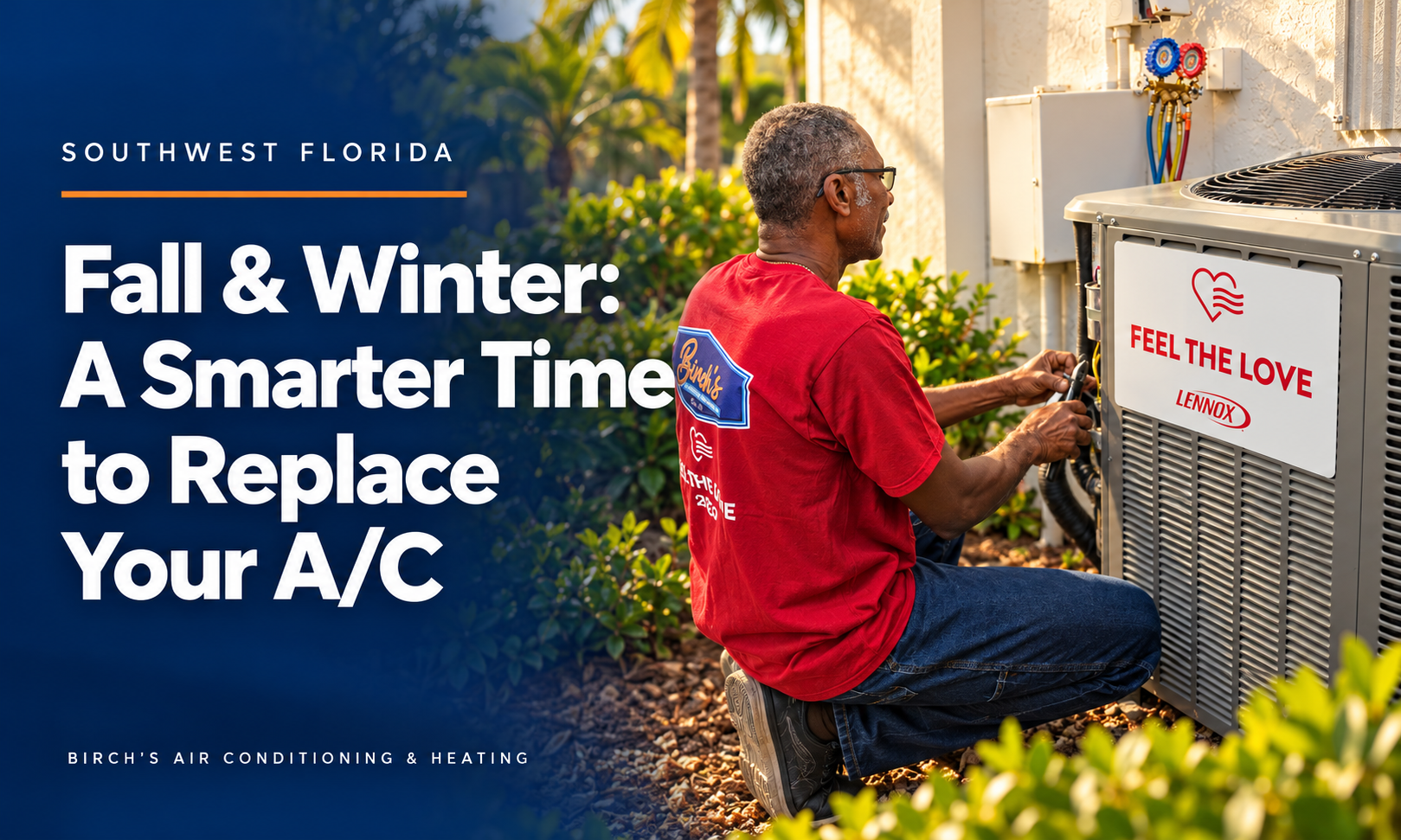
Why Fall and Winter Are the Smartest Times to Replace Your Air Conditioner in Southwest Florida Cooler Attics. Better Airflow. Smarter Installations. Fair Pricing. In Southwest Florida, we rely on our air conditioning systems for most of the year. But if your system is getting older, struggling to keep up, or becoming increasingly expensive to repair, when you choose to replace it can make a real difference. Fall and winter can be some of the best times to replace an air conditioning system because cooler weather gives homeowners more time to plan, compare options, address airflow concerns, and avoid making a rushed decision during the peak of summer. At Birch’s Air Conditioning & Heating , we’ve been serving Southwest Florida homeowners since 1983. After more than four decades in the HVAC industry, we’ve seen firsthand how much easier it can be to properly evaluate and improve a home’s entire comfort system during the cooler months. And one of the biggest advantages is something many homeowners never consider: your attic. Cooler Attics Create Better Opportunities for Ductwork Improvements During a Southwest Florida summer, attic temperatures can easily climb well above 120°F. Those extreme conditions make attic work more difficult and require technicians to take additional precautions and breaks to avoid heat-related illness. During fall and winter, attic temperatures become far more manageable. That makes the cooler months an excellent time to inspect your home’s ductwork, identify airflow restrictions, repair leaks, improve return-air capacity, and make other important improvements that can be much more difficult during the summer. Better working conditions can also allow technicians to complete extensive duct modifications more efficiently, helping keep unnecessary labor costs under control. If you already know your A/C system may need to be replaced soon, scheduling an evaluation before the summer rush gives you the opportunity to understand your options without the pressure of an emergency breakdown. Call Birch’s Air today to schedule a system and airflow evaluation before Southwest Florida’s hottest weather returns. A New Air Conditioner Is Only as Good as the Airflow Behind It Modern air conditioning systems are more efficient and sophisticated than ever. But even the best equipment cannot perform the way it was designed to without proper airflow. Many Southwest Florida homes have duct systems that are undersized, poorly balanced, leaking, damaged, or simply showing their age. These issues can contribute to: Rooms that never seem to cool properly Uneven temperatures throughout the home Excessive humidity Higher electric bills Longer system run times Increased wear on HVAC equipment Reduced overall comfort Replacing your air conditioner provides an ideal opportunity to evaluate the entire air-distribution system instead of simply replacing one piece of equipment. At Birch’s Air, we believe proper equipment sizing and proper airflow go hand in hand. Both play an important role in comfort, efficiency, humidity control, and the long-term life of your new system. You May Not Need to Replace All Your Ductwork One of the most important things homeowners should know is that a new air conditioner does not automatically mean you need an entirely new duct system. In many homes, targeted improvements can make a significant difference. That may include enlarging a restrictive return-air duct, improving a supply run, repairing a distribution box, sealing leaking connections, or correcting another specific airflow problem. Other homes may benefit from a complete duct replacement, particularly when the existing duct system is badly deteriorated, poorly designed, leaking extensively, or no longer appropriate for modern HVAC equipment. Our approach is straightforward: Evaluate what you have. Keep what works. Improve what doesn’t. Replace only what is necessary. The goal is not to sell homeowners more work. The goal is to create a system that delivers the comfort and efficiency they expect while keeping the project practical and cost-effective. Why Fall and Winter Can Be Better for Your Budget When an air conditioner stops working in the middle of July or August, homeowners are often forced to make a major decision very quickly. You need cooling immediately, which can leave little time to compare equipment, discuss efficiency options, evaluate ductwork, or carefully plan the installation. Fall and winter give you something extremely valuable: time. Instead of reacting to an emergency, you can make a planned decision. You can compare system options, consider energy-efficiency upgrades, address airflow concerns, ask questions, review financing options if needed, and schedule the installation at a time that works better for your household. Cooler attic temperatures can also make larger ductwork projects and airflow improvements easier to complete. The result is an opportunity for a better-planned installation at a fair, competitive price. Don’t Wait Until Next Summer to Find Out Your A/C Is Worn Out If your air conditioner struggled through this past summer, now is the time to pay attention. Warning signs can include a system that runs almost constantly, rising electric bills, rooms that remain warmer than others, frequent repairs, excessive indoor humidity, unusual noises, or an air conditioner that simply no longer keeps your home as comfortable as it once did. Those problems may not seem urgent during cooler weather, but they often become much more noticeable once Southwest Florida temperatures begin climbing again. A properly sized modern HVAC system combined with properly designed airflow can provide: More consistent temperatures Improved humidity control Quieter operation Better energy efficiency Reduced equipment strain Greater overall comfort Most importantly, replacing an aging system before it fails can give you peace of mind knowing your home is prepared before the next Southwest Florida summer arrives. Experience Makes the Difference At Birch’s Air Conditioning & Heating, replacing an air conditioner means more than removing one piece of equipment and installing another. We take the time to look at the entire comfort system , including equipment sizing, return-air capacity, supply ductwork, airflow, insulation concerns, and the overall condition of your HVAC system. Whether your home needs a few practical duct modifications, a complete duct replacement, or simply the right new air conditioning system, our goal is to recommend the solution that makes the most sense for your home and your budget. Locally Owned. Serving Southwest Florida Since 1983. Over 525 Five-Star Reviews. Proudly serving homeowners throughout Port Charlotte, Punta Gorda, Englewood, Rotonda, and surrounding Southwest Florida communities. Make This Fall or Winter the Season You Get Ahead You don’t have to wait for your air conditioner to fail on the hottest day of the year. If your current system is getting older, struggling to cool your home, or costing more to operate, let Birch’s Air take a look while you still have time to make an informed decision. We can evaluate your air conditioning system, inspect your airflow and ductwork, explain what is working properly, and show you where improvements may make sense. Better Airflow. Better Comfort. Better Value. Contact Birch’s Air Conditioning & Heating today to schedule your A/C system evaluation and start planning before the summer heat returns. And if you’re not sure whether replacement is necessary yet, that’s okay too. Schedule an evaluation and let our team help you understand the condition of your current system, what improvements may be worthwhile, and whether repairing or replacing makes the most sense for your home. Birch’s Air Conditioning & Heating Doing it right since 1983.
10 Things to Expect During an AC Replacement Estimate at Your Home If you’re thinking about replacing your air conditioner, you may be wondering what happens during an in-home estimate. Will the contractor inspect your ductwork, go into the attic, or take measurements? How long should the appointment last, and what information should you have ready? Knowing what to expect can help you feel prepared and get more value from the visit. At Birch’s Air Conditioning & Heating, we believe a successful installation starts with understanding your home and listening to your concerns. Since 1983, we’ve helped Southwest Florida homeowners make informed decisions about their comfort. Here are ten things to expect from a professional replacement consultation. 1. Enough Time for a Thorough Evaluation Plan to allow approximately 60 to 90 minutes for an initial consultation, although the time needed will depend on your home. A straightforward replacement may take less time, while larger homes, multiple systems, difficult attic access, or significant ductwork concerns may require two hours or more. Detailed calculations or additional diagnostic testing may involve follow-up work. The length of the appointment alone doesn’t determine its quality. What matters is what the contractor evaluates and explains. Before accepting a proposal, make sure you understand how the recommended equipment was selected and whether important questions about sizing, ductwork, or installation remain unresolved. 2. A Little Preparation Before the Visit Clear access to your thermostat, indoor air handler, outdoor unit, and attic entrance where applicable. Have any available repair records or equipment information nearby, and think about what you would like your new system to improve. You don’t need to climb into the attic or inspect anything yourself. Make a note of rooms that stay warm, uncomfortable humidity, excessive noise, frequent repairs, or changes in your electric bills. Mention improvements such as new windows, added insulation, or an enclosed lanai, since those changes may affect your cooling needs. Sharing your budget and comfort priorities also helps the contractor recommend practical options. 3. A Conversation About Your Comfort Before recommending equipment, the contractor should ask how your current system performs. Does it keep up on hot afternoons? Are some bedrooms warmer than the rest of the house? Does your home feel damp even when the thermostat shows the temperature you selected? These details help identify concerns that a simple equipment swap might not resolve. Your experience should guide the evaluation, giving the contractor a better understanding of what needs attention and what you hope to achieve. 4. An Evaluation of Your Home’s Cooling Needs Replacing a four-ton air conditioner doesn’t automatically mean your home needs another four-ton system. Square footage, ceiling heights, windows, insulation, sun exposure, and other building characteristics all influence cooling requirements. Changes made since the original installation can also affect the appropriate size. A Manual J load calculation is a recognized method for evaluating those requirements. Ask how the contractor will determine the right capacity and whether that calculation is included or requires follow-up work. The recommendation should reflect your home’s needs rather than simply matching the old unit. 5. An Inspection of Accessible Ductwork Your contractor should evaluate accessible supply and return ducts for visible damage, deteriorated insulation, loose connections, and restrictions. In Southwest Florida homes with attic ductwork, these conditions can affect how effectively cooled air reaches your living spaces. The contractor should explain any areas that couldn’t be inspected and whether further evaluation is needed. Some homes benefit from a few targeted repairs, while others may need more extensive improvements. You should understand why any recommended work is necessary and what it is expected to accomplish. Replacing ductwork shouldn’t be an automatic recommendation, but assuming existing ducts are adequate without evaluating them can overlook important problems. 6. A Discussion About Airflow Your contractor should consider whether the existing supply and return system can support the proposed equipment’s airflow requirements. Restricted airflow can contribute to uneven temperatures, excessive noise, and reduced performance. Addressing those concerns during planning can help prevent existing comfort problems from carrying over to the new installation. Depending on the condition of your system, static pressure measurements or other diagnostics may be appropriate. Ask whether testing is included in the consultation or requires a separate appointment. Any recommended airflow improvements should be explained in terms you can understand. 7. A Review of Equipment Locations and Installation Conditions The indoor and outdoor equipment locations help determine the scope of the replacement. Your contractor should assess available space, service access, equipment clearances, electrical requirements, refrigerant piping, and condensate drainage. For an attic air handler, access and drainage protection deserve particular attention. These checks help identify necessary installation work before the project begins. If something needs to be changed or evaluated further, you should understand why and how it could affect the proposal. 8. Equipment Options You Can Understand You should receive a practical explanation of the available equipment choices, including single-stage, two-stage, and variable-capacity systems where appropriate. The discussion should connect those options to your priorities, such as humidity control, noise, efficiency, upfront cost, and warranty coverage. Ask what you gain by moving to a more expensive option and whether those benefits address your concerns. A helpful recommendation gives you enough information to choose confidently without making you feel pressured to buy features you don’t need. 9. A Clear Written Proposal Your written estimate should identify the proposed equipment, included installation work, necessary modifications, permits, warranty coverage, and known exclusions. If ductwork improvements are recommended, the proposal should explain their purpose. You should also know whether additional testing or unresolved conditions could affect the final price. If the proposal isn’t ready at the end of the visit, the contractor should explain what remains to be evaluated and when you can expect it. Clear documentation makes it easier to compare options and understand exactly what you’re purchasing. 10. Time to Ask Questions and Understand the Next Steps Before the consultation ends, you should understand the recommendations, any outstanding questions, and what happens next. Ask about the anticipated installation schedule, how long your cooling may be interrupted, and what you’ll need to do to prepare. If further testing or design work is needed, make sure you know how it will be handled. You should also have an opportunity to review the proposal without feeling rushed into a decision. A professional consultation should leave you better informed and more confident about your options. Your questions are an important part of getting the project right. Schedule Your Replacement Consultation With Birch’s Air At Birch’s Air Conditioning & Heating, we believe the estimate is where a quality installation begins. Our approach centers on proper sizing, airflow, clear recommendations, and fair pricing. Whether your home needs a straightforward replacement or additional comfort improvements, we’ll help you understand the options. Contact Birch’s Air to schedule your AC replacement consultation. We proudly serve Port Charlotte, Punta Gorda, Englewood, Rotonda, and surrounding Southwest Florida communities, helping homeowners move forward with honest answers and confidence.

Here's why a New Air Conditioner Cost So Much More Than It Used To?
Birch's Air: “How Much Does a New AC System Cost in Southwest Florida in 2026?” The best way to look at installing a new AC system.
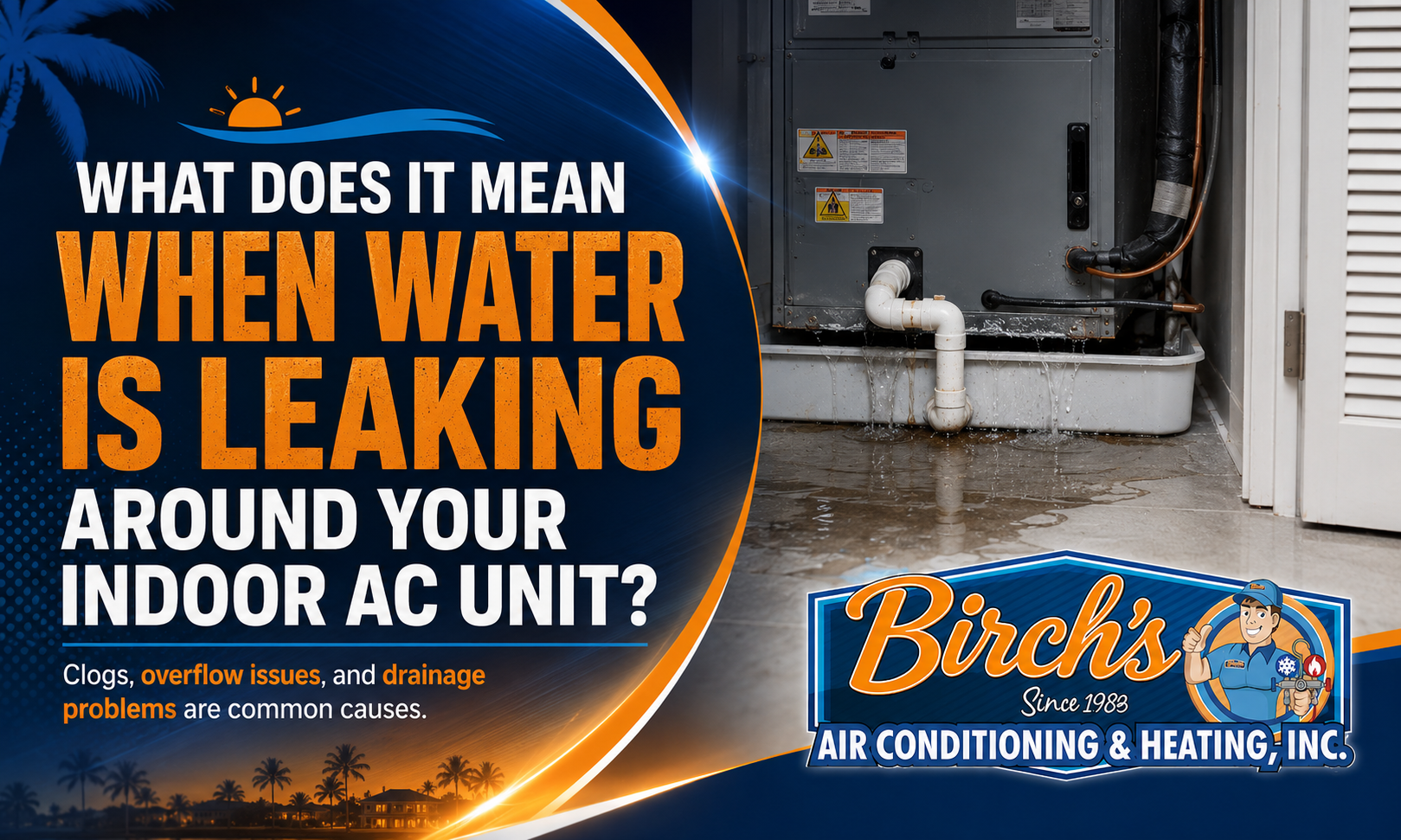
What Does It Mean When Water Is Leaking Around Your Indoor AC Unit? Finding water around your indoor air-conditioning unit can be alarming, especially when the air handler is located in an attic, closet, garage, or above a finished ceiling. Even a small amount of water can damage drywall, flooring, insulation, furniture, or nearby electrical components if the source is not corrected. Your AC system naturally produces condensation while removing heat and humidity from the home. That moisture should collect in a drain pan and flow safely outside through a condensate drain line. When water appears around the indoor unit, something has interrupted that drainage process. Here are the most common causes and what homeowners should do next. A Clogged Condensate Drain Line A blocked drain line is one of the most frequent causes of water around an air handler in Southwest Florida. As the AC removes moisture from humid indoor air, condensation flows through a narrow PVC drain line. Algae, dust, dirt, and biological buildup can gradually restrict the pipe until water can no longer drain properly. The backed-up water may overflow from the primary drain pan or trigger a float switch that shuts the AC off. Signs of a clogged drain line can include: Water around the indoor unit A full drain pan Musty odors Gurgling near the drain An AC system that suddenly stops running Water coming from an emergency drain outlet Because air conditioners in Port Charlotte, Punta Gorda, and North Port operate so frequently, their drainage systems handle moisture for much of the year. This gives algae and debris more opportunities to accumulate. A Frozen Evaporator Coil Is Thawing Water may also appear when ice on the evaporator coil begins to melt. The indoor coil becomes very cold during normal cooling. If airflow is restricted or the refrigerant system is not operating correctly, the coil temperature can fall below freezing. Moisture then freezes onto the coil instead of draining normally. Once the system shuts off or the ice begins to thaw, the amount of water may overwhelm the drain pan. A frozen coil can result from: A heavily clogged air filter A dirty evaporator coil Closed or blocked vents A blower motor problem Low refrigerant A refrigerant leak Restricted ductwork You may also notice weak airflow, ice on the refrigerant line, long cooling cycles, or warm air from the vents. If you see ice, turn off the cooling mode and allow the system to thaw. Do not scrape the ice away or continue running the AC. If it freezes again, professional testing is needed to find the underlying cause. The Drain Pan May Be Cracked or Rusted The drain pan sits beneath the evaporator coil and collects condensation. Over time, a metal pan can corrode, while a plastic pan may crack or become damaged. A deteriorated pan may leak even when the drain line is open. This problem is more common in aging systems, especially when the indoor unit is exposed to persistent moisture. Salt air and humid conditions can also contribute to corrosion in coastal parts of Southwest Florida. Water may leak slowly from a small crack or spread from multiple rusted areas. Placing towels around the unit may control the visible water temporarily, but it will not repair the damaged pan.A technician can inspect both the primary and secondary pans and determine whether one can be repaired or needs replacement. A Condensate Pump May Have Failed Some HVAC systems cannot rely entirely on gravity to drain condensation. Instead, they use a small condensate pump to move the water to an appropriate discharge point. If the pump fails, becomes clogged, loses power, or develops a stuck float, water can overflow from its reservoir. You may hear the pump running continuously, notice that it does not operate at all, or see water collecting nearby. Condensate pumps contain electrical components, so avoid opening or testing one while it is connected to power. A technician can determine whether the pump needs cleaning, repair, or replacement. The Drain Line May Be Disconnected or Improperly Sloped A drain line does not need to be fully clogged to cause a leak. Loose fittings, cracked PVC, failed seals, or disconnected sections can allow water to escape before it reaches the outdoor outlet. A line without the proper downward slope may also hold water and develop repeated blockages. Common drainage problems include: Sagging sections of pipe Loose joints Improper venting Poorly positioned cleanout fittings An outlet blocked by soil or landscaping Missing insulation around cold piping If the same drain line repeatedly backs up after being cleared, installation or alignment may be contributing to the problem. Excess Condensation Can Form on the Unit Sometimes water forms on the outside of the air handler, refrigerant line, or ductwork rather than leaking from the drain pan. This can happen when cold surfaces are exposed to warm, humid air. Missing insulation, damaged vapor barriers, air leaks, and excessive indoor humidity can all produce condensation. You may see water beading on the cabinet or dripping from an insulated refrigerant line. Moisture may also form around supply ducts running through a hot attic. This type of sweating should not be ignored. Persistent condensation can damage insulation and surrounding materials while encouraging musty odors and microbial growth. What Should You Do When You Find Water? Start by turning off the air conditioner if water is actively spreading, approaching electrical components, or leaking through a ceiling. Then: Move belongings away from the area. Use towels or a wet vacuum to remove standing water. Check whether the air filter is severely clogged. Look for visible ice on the coil or refrigerant line. Check whether the drain pan is full. Inspect the outdoor drain opening for obvious debris. Do not pour chemical drain cleaner into the condensate line. These products may damage HVAC materials and create additional safety concerns for the technician who later opens the system. Avoid removing service panels or reaching near wiring, motors, or controls. When Does an AC Water Leak Require Professional Service? Call an HVAC technician when the leak returns, the drain pan remains full, the coil is frozen, the AC will not restart, or water is near electrical equipment. Prompt service is especially important when an air handler is installed in an attic or above a ceiling. A small drainage issue can cause substantial property damage before it becomes visible inside the living space. A professional inspection may include checking the condensate line, drain pans, float switches, evaporator coil, blower, refrigerant system, insulation, and condensate pump. The goal should be to identify why the water escaped rather than simply removing the visible moisture. Have the Source of the Leak Properly Diagnosed Water around an indoor AC unit can come from a clogged drain, frozen coil, cracked pan, failed pump, damaged pipe, or excessive condensation. Since several problems can produce similar symptoms, a careful inspection is often the safest way to prevent the leak from returning. Birch’s Air provides condensate drainage, air-handler, and AC repair services throughout Charlotte, Lee, and Sarasota counties. If you discover water around your indoor unit, contact Birch’s Air to have the source inspected and corrected before it damages the surrounding area.

Why Does My Florida Home Feel Humid Even When the AC Is Running? Your air conditioner may be running, the thermostat may show the correct temperature, and the house may still feel sticky, damp, or uncomfortable. This is a common frustration in Florida homes. Cooling the air and removing humidity are related, but they are not exactly the same process. An AC system can lower the temperature without removing enough moisture, especially when it is short cycling, oversized, poorly maintained, or affected by airflow and ductwork problems. If your home feels humid even while the AC is operating, the system may need more than a lower thermostat setting. How Your Air Conditioner Removes Humidity As warm indoor air passes over the cold evaporator coil, moisture condenses on the coil and drains away through the condensate system. For this process to work properly, the air conditioner must run long enough to move a sufficient amount of air across the coil. If the cooling cycle ends too quickly, the system may reach the thermostat setting before it removes enough moisture. That is why a home can be 74 degrees and still feel uncomfortable. High indoor humidity may also make the air feel warmer than it actually is, encouraging homeowners to lower the thermostat and increase energy use without solving the underlying problem. The AC System May Be Too Large for the Home Many homeowners assume that a larger air conditioner will cool the house better. In reality, an oversized system can create comfort and humidity problems. A system that is too large may cool the home very quickly and then shut off. These short cycles may not last long enough for the evaporator coil to remove adequate moisture. Common signs of an oversized system include: Frequent starting and stopping Uneven temperatures Rooms that feel cool but clammy Higher-than-expected humidity Sudden temperature swings Increased wear on electrical and mechanical components Proper AC sizing should be based on a professional load calculation, not simply the square footage of the home or the size of the previous unit. The calculation should consider insulation, windows, ceiling height, sun exposure, construction materials, air leakage, and other factors that affect heat and moisture. Short Cycling Can Limit Moisture Removal An oversized system is not the only cause of short cycling. The AC may also turn on and off too frequently because of: A thermostat problem Restricted airflow A frozen coil An electrical issue A clogged filter A failing component Incorrect refrigerant conditions When cooling cycles are too short, the system spends less time dehumidifying the air. You may notice that the AC starts repeatedly throughout the day, but the house never feels consistently comfortable. Short cycling can also place additional strain on the compressor, capacitor, blower motor, and other components. If the system frequently shuts off after only a few minutes, it should be inspected rather than treated as normal operation. Poor Airflow Can Affect Humidity Control Your air conditioner needs the correct amount of airflow to cool and dehumidify effectively. A severely clogged filter, dirty evaporator coil, blocked return vent, weak blower motor, or restricted duct system can interfere with the movement of air across the indoor coil. Too little airflow may cause the coil to become excessively cold and freeze. Once the ice melts, the system may produce additional water while still struggling to control indoor humidity. Check the air filter and make sure supply and return vents are open and unobstructed. If airflow from the vents remains weak, the problem may require professional testing. Installing a filter that is too restrictive can also contribute to airflow problems. The best filter is one that provides effective filtration without exceeding what the HVAC system can handle. Leaky Ductwork Can Pull Humid Air Into the System Duct leaks can affect both cooling and humidity. When return ducts leak in an attic, garage, or other unconditioned area, the system may pull hot, humid air into the ductwork. Supply leaks can allow cooled air to escape before it reaches the living areas. This makes it harder for the AC to maintain comfortable indoor conditions. Possible signs of duct leakage include: Uneven temperatures Weak airflow Dust around vents High electric bills Musty odors Rooms that feel more humid than others Long system run times Duct problems are especially important in older Florida homes where connections, insulation, or flexible duct materials may have deteriorated over time. A visual inspection of exposed ductwork may reveal obvious damage, but many leaks are hidden in attics or enclosed spaces. The Thermostat Setting May Be Contributing Thermostat settings can influence how the home feels. Make sure the fan is set to “Auto” rather than “On.” When the fan runs continuously, it may blow moisture from the wet evaporator coil back into the house after the cooling cycle ends. The “Auto” setting allows the blower to stop when the cooling cycle finishes, giving condensation time to drain away. Avoid making large temperature adjustments throughout the day. Constantly raising and lowering the setting can create inconsistent run times and comfort levels. The thermostat location also matters. A thermostat placed near a supply vent, exterior door, sunny window, or heat-producing appliance may not accurately represent conditions throughout the home. The AC May Need Maintenance or Repair Dirty coils, improper refrigerant conditions, blower problems, drainage issues, and aging components can all reduce the system’s ability to control moisture. An AC system does not need to be completely broken to perform poorly. It may still cool the home while operating less effectively than it should. A professional inspection may include checking: Temperature and humidity levels Evaporator and condenser coils Refrigerant performance Blower speed and airflow Filter condition Thermostat operation Duct leakage Drainage and condensate removal Electrical and mechanical components The goal is to determine whether the humidity is caused by the equipment, duct system, building conditions, or a combination of factors. Other Sources of Indoor Humidity Not every humidity problem begins with the air conditioner. Moisture can enter the home through air leaks around doors and windows, damaged weatherstripping, plumbing leaks, unvented bathrooms, or gaps in the building envelope. Frequent cooking, showering, indoor laundry, and opening exterior doors can also add moisture. Homes that sit vacant for part of the year may develop humidity problems when the thermostat is set too high or the AC is turned off completely. Seasonal residents should maintain enough cooling and moisture control to protect furnishings, drywall, flooring, and other materials. In some homes, a whole-home dehumidifier may be appropriate. However, additional equipment should not be used to hide an AC or ductwork problem that can be repaired. When to Schedule a Humidity Inspection Consider professional service if the home regularly feels clammy, windows develop condensation, musty odors persist, or indoor humidity remains high despite normal AC operation. Birch’s Air can evaluate the air-conditioning system, thermostat, airflow, drainage, and ductwork to determine why the home is not drying properly. The company provides HVAC and indoor-air-quality services throughout Charlotte, Lee, and Sarasota counties. A careful diagnosis can help determine whether the solution involves maintenance, repair, system adjustments, duct improvements, or dedicated humidity control. Improve Comfort Without Simply Lowering the Thermostat Lowering the temperature may provide temporary relief, but it can also increase electric use without correcting the source of the moisture. If your Florida home feels humid even while the AC is running, contact Birch’s Air to schedule a professional evaluation. Identifying why the system is not removing enough moisture can help restore comfort, protect the home, and prevent the AC from working harder than necessary.

Why AC Drain Lines Clog So Often in Southwest Florida A clogged air-conditioning drain line may sound like a minor maintenance problem, but it can quickly lead to water around the air handler, ceiling stains, damaged flooring, or an AC system that shuts itself off. Condensate drain clogs are especially common in Southwest Florida because air conditioners remove large amounts of moisture from the air for much of the year. That moisture, combined with dust, algae, debris, and nearly constant system use, creates ideal conditions for blockages. Understanding why these clogs happen can help homeowners recognize the warning signs and prevent avoidable water damage. What Does your AC Drain Line Do? As your air conditioner cools the home, warm indoor air passes over the cold evaporator coil. Moisture in the air condenses on the coil in much the same way water forms on the outside of a cold glass. That water drips into a drain pan and flows through a condensate drain line to a designated location outside the home. During humid weather, an AC system can remove a significant amount of moisture every day. If the drain line becomes restricted, water can back up into the drain pan or around the indoor unit. Many systems include a float switch that shuts the AC off when water rises too high. This safety feature can prevent an overflow, but it may leave you wondering why the thermostat is working while the system will not cool. High Humidity Creates Constant Moisture Southwest Florida’s humidity is one of the main reasons drain lines clog so frequently. In places such as Port Charlotte, Cape Coral, and Sarasota, air conditioners may run through most of the year. The longer the system operates, the more condensation it produces. The drain line remains damp for extended periods, creating an environment where algae and biological buildup can grow. Even during milder weather, moisture may remain inside portions of the line rather than drying completely. Homes with oversized air conditioners can also experience humidity and drainage issues. An oversized system may cool the home quickly but shut off before removing enough indoor moisture, creating comfort problems while still leaving moisture inside the equipment. Algae and Slime Build Up Inside the Line The dark, damp interior of a condensate drain line is an ideal place for algae and slime to develop. Over time, this buildup forms a soft blockage that slows the flow of water. Dust and other particles can stick to it, causing the restriction to become larger. The clog may begin as slow drainage rather than a complete blockage. Homeowners might first notice a musty smell, occasional water near the air handler, or an AC system that shuts off unexpectedly. Once the line becomes fully blocked, water may overflow from the drain pan or activate the float switch. Dust and Dirt Enter the Drain System Even with a good air filter, small amounts of dust can make their way into the HVAC system. Dust can collect on the evaporator coil and wash into the drain pan as condensation forms. From there, it enters the condensate line and combines with moisture and algae. A clogged or neglected air filter can make this problem worse. Restricted airflow may allow more dirt to collect on internal components, while a dirty evaporator coil can contribute additional debris to the drain system. Using the correct filter and replacing it regularly helps protect both airflow and drainage. However, a filter alone cannot prevent every condensate clog. Heavy AC Use Accelerates Buildup In many parts of the country, air conditioners remain off for much of the year. Southwest Florida systems often operate for long stretches with only brief seasonal breaks. Frequent use means: More moisture passing through the drain More opportunities for debris to collect Less time for the line to dry Faster algae growth Greater wear on drain pans, pumps, and fittings A system in a full-time residence may develop drainage problems through constant operation. A seasonal home can face a different issue: the line may sit unused while residue dries and hardens inside it. Snowbirds returning to a home after several months away may discover a clog shortly after the system begins running heavily again. Insects and Outdoor Debris Can Block the Exit The outdoor end of a condensate drain line is often located near ground level, where it can be exposed to grass, soil, leaves, insects, and landscaping debris. Mud, insect nests, or plant material can restrict the outlet and prevent water from draining properly. Yard maintenance can also push clippings or soil against the pipe. The drain outlet should remain visible and unobstructed. Homeowners can inspect the area periodically and remove loose debris from around the opening. Do not insert sharp tools or objects deep into the pipe. This can damage the line or push the blockage farther inside. Poor Drain-Line Installation Can Cause Repeated Clogs Sometimes a recurring clog is related to the way the drain system was installed. A condensate line needs the correct slope so gravity can move water toward the outlet. Low spots, sagging sections, excessive bends, or improperly connected fittings can allow water and debris to collect. Other possible installation problems include: An undersized drain line Missing or poorly placed cleanout access Improper venting Loose connections A drain termination that is too close to soil Inadequate insulation around cold sections If a line clogs repeatedly despite regular cleaning, the system may need to be inspected for a design or installation issue rather than simply cleared again. Warning Signs of a Clogged AC Drain Line A condensate clog may produce several symptoms before water becomes visible. Watch for: Water around the indoor AC unit A full or overflowing drain pan Ceiling or wall stains near the air handler Musty odors Gurgling noises near the drain An AC system that suddenly shuts off A thermostat that appears normal while the equipment will not run Water dripping from an emergency drain outlet If the air handler is installed in an attic or above a finished ceiling, even a small overflow can cause expensive property damage. Can You Clear an AC Drain Line Yourself? Homeowners can safely check the drain outlet, replace a dirty filter, and inspect the visible drain pan for water. Some people use a wet/dry vacuum at the outdoor drain opening to remove a minor clog. However, repeated clogs, standing water, damaged drain pans, or leaks near electrical components should be handled professionally. Household drain chemicals should not be poured into an HVAC condensate line. They may damage the pipe, fittings, drain pan, or nearby components. A technician can clear the line, clean accessible portions of the drainage system, test the float switch, inspect the drain pan, and look for installation problems that may be causing the blockage to return. Preventing Future Drain-Line Clogs Regular AC maintenance is one of the best ways to reduce drainage problems. During a thorough tune-up, a technician can inspect the condensate system, clean the drain line when needed, check for water buildup, and confirm that safety switches are working. Homeowners can also help by changing filters regularly, keeping the outdoor drain outlet clear, and responding quickly to musty odors or unexplained shutdowns. Birch’s Air has served Southwest Florida since 1983 and understands how local humidity and long cooling seasons affect condensate systems. If you notice water near your air handler, repeated drain backups, or an AC that shuts off without warning, contact Birch’s Air to schedule a drain-line inspection and professional clog removal before the overflow damages your home.

Seven Warning Signs Your Air Conditioner Is About to Break Down Air conditioners do not always fail without warning. In many cases, the system begins showing small changes days or weeks before it stops cooling completely. A new noise, weaker airflow, longer run times, or an unexplained increase in humidity may be easy to ignore when the house still feels reasonably comfortable. However, paying attention to these early warning signs can give you time to schedule an inspection before the problem becomes an urgent breakdown. Here are seven signs that your air conditioner may need professional attention. 1. The Airflow From Your Vents Feels Weak Weak airflow can make it difficult for your AC system to distribute cooled air throughout the home. You may notice that you have to stand close to a vent to feel air moving or that certain rooms are no longer cooling as well as others. Common causes include: A clogged air filter A dirty evaporator coil A struggling blower motor Damaged or disconnected ductwork Blocked return or supply vents A frozen indoor coil Start by checking the filter and making sure the vents are open. If airflow remains weak, the system may have a problem that requires testing. Continuing to operate an AC system with restricted airflow can place extra strain on the blower and compressor. 2. You Hear Unusual Sounds Every HVAC system makes some noise during normal operation, but new or increasingly loud sounds deserve attention. A rattling noise may come from a loose panel, fastener, or piece of debris. Squealing can indicate a worn belt or motor bearing. Grinding may point to a motor problem, while repeated clicking could involve a relay, thermostat, or electrical control. Loud humming or buzzing should not be ignored, especially if the outdoor unit is not starting. A failing capacitor or electrical component may allow the system to hum without operating correctly. Turn the system off if you hear severe grinding, metal-on-metal sounds, or loud electrical buzzing. Continuing to run it could turn a repairable problem into a more expensive failure. 3. The AC Turns On and Off Too Frequently An air conditioner should normally run long enough to cool the home and remove moisture before shutting off. If it starts and stops every few minutes, it may be short cycling. Short cycling can result from a dirty filter, frozen coil, thermostat issue, electrical problem, oversized system, or failing component. Frequent starting places additional stress on motors, capacitors, and the compressor. The home may also feel humid because the system does not run long enough to remove sufficient moisture from the air. If short cycling continues after you replace a dirty filter and confirm the thermostat settings, arrange a professional inspection. 4. Your Electric Bill Suddenly Increases Electric bills often rise during especially hot months, but a significant increase without a clear reason may mean the air conditioner is losing efficiency. A dirty coil, low refrigerant charge, duct leak, failing motor, or airflow restriction can force the system to run longer to maintain the same temperature. Compare your recent bills with similar months from the previous year rather than comparing a summer bill with one from winter. Also consider whether your thermostat settings, occupancy, or utility rates have changed. When none of those factors explain the increase, the AC system may be working harder than it should. A professional tune-up can identify maintenance issues, while diagnostic testing may uncover a component that is beginning to fail. 5. You Notice Unusual Odors A brief dusty smell when a system first starts after sitting unused may not be serious. Persistent or strong odors are different. A musty smell may indicate moisture around the evaporator coil, condensate drain, drain pan, or ductwork. In humid areas such as Punta Gorda, Cape Coral, and Venice, moisture problems can become noticeable quickly. A burning or electrical odor requires more immediate attention. It may come from overheating wiring, a failing motor, or another electrical component. Turn the system off if the odor smells like hot plastic, burning insulation, or smoke. Do not continue operating the AC while waiting to see whether the smell disappears. 6. There Is Moisture or Water Around the Indoor Unit Your air conditioner removes moisture from the indoor air and directs it outside through a condensate drain. Water around the air handler means that this process is not working correctly. Possible causes include: A clogged condensate drain line An overflowing or damaged drain pan A frozen coil that is thawing A failed condensate pump An improperly installed drain Excessive condensation caused by damaged insulation Even a small leak can damage drywall, flooring, ceilings, or nearby belongings. Water may also activate a float switch that shuts the system down to prevent an overflow. Do not assume that drying the visible water solves the problem. The source of the leak still needs to be found and corrected. 7. Temperatures Become Uneven or Unpredictable One room may feel warm while another becomes too cold. The thermostat may show the correct setting, but the home no longer feels consistently comfortable. Uneven temperatures can result from duct leaks, airflow problems, poor system balance, thermostat placement, insulation issues, or declining equipment performance. Pay attention to whether the problem affects one room, one side of the house, or the entire home. This information can help a technician determine where to begin inspecting. A system that once cooled evenly but suddenly struggles in certain areas is more concerning than a room that has always had a comfort issue. When Should You Schedule an AC Inspection? You do not need to call for service every time the system makes a minor sound or takes slightly longer to cool during an unusually hot afternoon. However, repeated or worsening symptoms should not be ignored. Schedule an inspection when you notice multiple warning signs, a major change in performance, repeated shutdowns, water leakage, burning odors, or electrical problems. A technician may inspect the filter, thermostat, electrical components, refrigerant pressures, coils, motors, drainage system, ductwork, and temperature differences across the equipment. Identifying the cause early may allow a worn part, drainage issue, or airflow restriction to be corrected before the system stops operating completely. Pay Attention to Changes in Your AC System You know how your air conditioner normally sounds and how your home usually feels. When that begins to change, the system may be telling you that something needs attention. Birch’s Air has served Southwest Florida since 1983 and provides professional AC diagnostics, maintenance, and repair. If your system is showing one or more of these warning signs, contact Birch’s Air to schedule an inspection and determine whether a developing problem can be corrected before it leads to a complete breakdown.