


How Much Does a New AC System Cost in Southwest Florida in 2026? If you’re planning to replace your air conditioner, one of your first questions is probably, “How much should I budget?” For homeowners in Port Charlotte, Punta Gorda, North Port, and Englewood, the answer depends on the equipment you choose and the work your home needs to support it. At Birch’s Air Conditioning & Heating, we’ve served Southwest Florida since 1983. We believe you should understand what goes into your estimate and where your investment makes a difference. Here’s a practical starting point for planning your AC replacement in 2026. 1. What Price Range Should You Expect? Our general planning ranges fall into three categories: good, better, and best. These are starting points rather than fixed quotes; your final price depends on system size, equipment selection, installation conditions, and any additional work identified during your evaluation. Good : Starting Around $8,000 A basic system can be a sensible choice when dependable cooling and a lower initial investment are your priorities. These options typically use single-stage equipment, which runs at one cooling capacity when operating. This category generally offers: Reliable, straightforward cooling. Simpler equipment and controls. A lower upfront investment. Practical comfort when properly sized and installed. Choosing a basic system should still include careful installation and appropriate testing. The equipment may be simpler, but the quality of the work remains just as important. Better : Approximately $10,000–$12,000 This category may include two-stage systems or non-communicating inverter options. Depending on the model, these systems can adjust their output to better match your home’s cooling needs. Potential benefits include: More consistent indoor temperatures. Quieter operation. Improved energy efficiency. Better humidity-control potential. For homeowners looking for a balance between upfront cost and everyday comfort, this category is worth discussing during an estimate. Best : Approximately $14,000–$16,000 Premium options may include fully communicating inverter systems with variable-capacity operation. These systems use compatible equipment and controls that exchange information to coordinate performance. Depending on the model and installation, benefits can include: Precise temperature control. Advanced humidity-management features. Very quiet operation. High efficiency across a range of operating conditions. Some homes may also need duct modifications or other improvements to support the selected equipment. Ask whether those items are included in your proposal or would increase the total. 2. Why Does AC Replacement Cost More Than You Remember? If your current system was installed many years ago, today’s replacement prices may come as a surprise. Equipment technology has changed, and the cost of completing a professional installation includes much more than the outdoor unit. Factors that can contribute to the price include: Equipment, materials, and skilled labor. Efficiency standards and refrigerant technology. More advanced electronics and controls. Insurance, permitting, and installation expenses. Additional preparation or upgrades required for your home. Modern equipment may offer comfort features your older system never had. Your contractor should explain which features would benefit you and which may be unnecessary for your priorities. 3. What Else Can Affect Your Installation Price? Your air conditioner depends on the rest of your home’s cooling system to perform properly. Connecting new equipment to restricted ducts, an unsuitable refrigerant line, or drainage problems can leave existing issues unresolved. During a replacement evaluation, important items to review include: Ductwork: Leaks, restrictions, return-air capacity, and overall condition. Refrigerant lines: Size, condition, and compatibility with the new equipment. Drainage: Drain-line condition, cleanout access, and overflow protection. Electrical connections: Suitability for the proposed system. Thermostat and controls: Compatibility and available features. System sizing and airflow: Whether the equipment matches your home’s needs. Not every home needs extensive upgrades. Sometimes a targeted repair or modification can make a meaningful difference, and your estimate should explain the reason for each recommendation. 4. What Should Your Written Estimate Include? A useful estimate should make the scope of work clear enough that you can understand what you’re purchasing. Look for equipment model numbers, included installation work, warranty details, and any exclusions or potential additional charges. Ask whether the proposal includes permits, equipment removal, necessary connection work, and startup testing. If a price seems unusually low or high, the next step is to understand the differences in the work being proposed. Have questions about your replacement budget? Contact Birch’s Air for an evaluation and a clear explanation of the options available for your home. 5. How Do You Choose a Sensible Budget? Start with your priorities. If your home already feels comfortable and your main concern is replacing aging equipment, a simpler system may meet your needs. If you’re dealing with humidity, uneven temperatures, or disruptive noise, discuss those concerns before choosing a price category. Consider the complete installation alongside the equipment features. A properly selected system with necessary airflow improvements may provide more value than spending your entire budget on premium equipment while leaving existing problems unresolved. Get a Clear AC Replacement Estimate From Birch’s Air Replacing your air conditioner should come with clear answers and realistic expectations. At Birch’s Air Conditioning & Heating, we’ll explain your options in plain English and help you understand where additional spending may improve comfort—and where a simpler solution may be sufficient. We proudly serve Port Charlotte, Punta Gorda, North Port, Englewood, and surrounding Southwest Florida communities. Contact Birch’s Air today to schedule your AC replacement evaluation and receive an estimate tailored to your home.
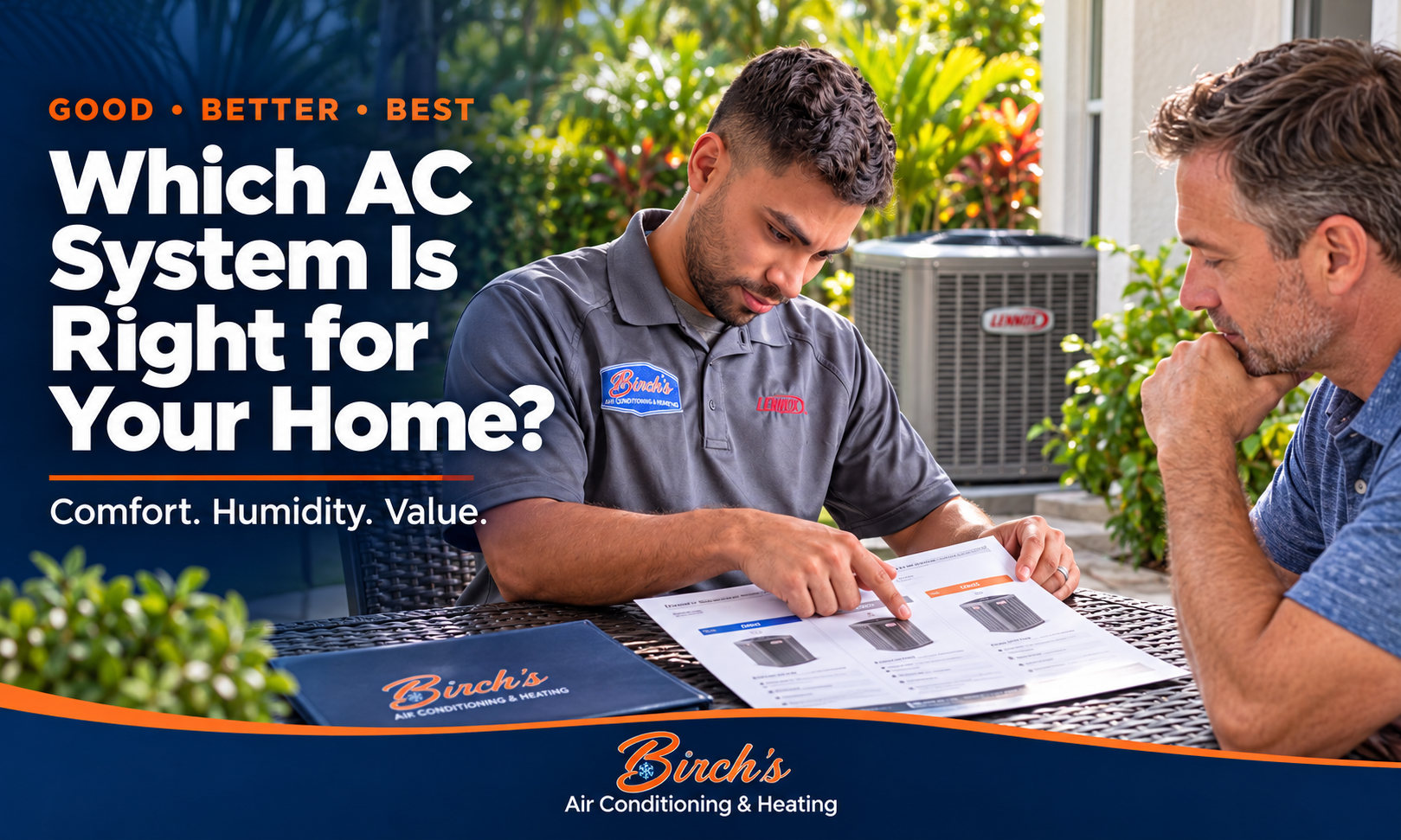
Good, Better, or Best? How to Choose the Right AC System for Your Southwest Florida Home When you’re comparing new air conditioners, it’s easy to feel overwhelmed by equipment names, efficiency ratings, and prices. You may wonder whether a basic system will keep you comfortable or whether spending more will make a noticeable difference in your daily life. At Birch’s Air Conditioning & Heating, we believe the right choice starts with understanding your home and your priorities. Since 1983, we’ve helped Southwest Florida homeowners make informed cooling decisions. Here’s how to compare your options with greater confidence. 1. Start With What You Want to Improve Before looking at equipment, think about how your current system performs. Your experience gives your contractor useful information about what needs attention, especially if you’ve been adjusting the thermostat to compensate for problems elsewhere in the home. Consider questions such as: Do certain rooms stay warmer than others? Does your home feel cool but clammy? Does the equipment seem excessively loud? Are you mainly concerned about the upfront cost? Would steadier temperatures make your home more comfortable? Share these concerns during your consultation. A new system should be selected with your comfort goals in mind, along with an evaluation of possible ductwork, airflow, or sizing issues. 2. Understand What “Good, Better, and Best” Mean These categories are a useful way to organize options, but they aren’t standardized equipment ratings. Ask about the actual model and its capabilities so you understand what each proposal includes. Good systems typically provide dependable cooling with single-stage equipment. They can be a practical fit for homeowners who value simplicity and want to keep the initial investment lower. Better systems may include two-stage or non-communicating inverter equipment. Depending on the model, they offer more flexibility in cooling output, which can improve temperature consistency, sound levels, and humidity control. Best systems may use fully communicating controls and variable-capacity equipment. They offer more precise coordination of system operation and additional comfort features, usually at a higher purchase price. The highest category isn’t automatically necessary for every home. What matters is whether the additional capabilities address something you value. 3. Give Humidity Control the Attention It Deserves In Southwest Florida, reaching the thermostat setting is only part of feeling comfortable. If your home still feels damp or sticky, turning the temperature lower may leave you cold without fully resolving the underlying issue. Two-stage and variable-capacity systems can operate at reduced output for longer periods under suitable conditions, which can support moisture removal. However, results depend on proper sizing, airflow, control settings, and conditions inside the home. Premium equipment alone doesn’t guarantee that every humidity concern will disappear. Tell your contractor when and where you notice excess moisture. That helps guide the evaluation and determine whether equipment selection, adjustments, or additional measures are appropriate. 4. Make Sure Your Home Can Support the Equipment Your ducts and installation details influence how well any new system performs. Restricted airflow, leaking ducts, or an inadequate return can prevent you from getting the comfort you expected, even with advanced equipment. Important items to evaluate include: Supply and return duct condition. Airflow restrictions and duct leakage. Equipment sizing for your home. Refrigerant-line compatibility. Condensate drainage and overflow protection. Thermostat and control compatibility. Ask which improvements are necessary and what each one is intended to accomplish. You should receive a practical explanation before deciding how to allocate your budget. Unsure whether your comfort concerns come from the equipment or the ductwork? Schedule an evaluation with Birch’s Air so we can help you understand your options. 5. Compare What Each Estimate Actually Includes Two quotes that are thousands of dollars apart may represent different equipment and different installation work. A fair comparison starts with the details behind the total. Ask each contractor to clarify: Equipment model numbers and efficiency ratings. Thermostat and control features. Included duct modifications. Refrigerant-line, electrical, and drain work. Permits and applicable equipment anchoring or storm-protection work. Startup testing and performance checks. Parts and labor warranty coverage. A lower estimate may cover a simpler installation, while a higher one may include additional work or more advanced equipment. Neither price tells the full story on its own. 6. Spend More Where It Adds Value for You If you’re satisfied with straightforward cooling, a properly installed basic system may be a comfortable fit. If quieter operation, steadier temperatures, and enhanced humidity management are priorities, a more advanced system may be worth considering. Ask your contractor to explain the practical difference between options rather than relying on labels. If projected energy savings are part of the recommendation, ask what assumptions support them; actual savings depend on your home, usage, settings, and the system being replaced. Find Your Best Fit With Birch’s Air You deserve an AC system that fits your home, comfort expectations, and budget. At Birch’s Air Conditioning & Heating, we’ll walk you through the choices, explain recommended improvements, and help you decide which features are worth the investment. We’ve served Southwest Florida since 1983, including Port Charlotte, Punta Gorda, North Port, Englewood, and surrounding areas. Contact Birch’s Air today to schedule your replacement consultation and find the right cooling solution for your home.
How Much Does a New AC System Cost in Southwest Florida in 2026? If you’re planning to replace your air conditioner, one of your first questions is probably, “How much should I budget?” For homeowners in Port Charlotte, Punta Gorda, North Port, and Englewood, the answer depends on the equipment you choose and the work your home needs to support it. At Birch’s Air Conditioning & Heating, we’ve served Southwest Florida since 1983. We believe you should understand what goes into your estimate and where your investment makes a difference. Here’s a practical starting point for planning your AC replacement in 2026. 1. What Price Range Should You Expect? Our general planning ranges fall into three categories: good, better, and best. These are starting points rather than fixed quotes; your final price depends on system size, equipment selection, installation conditions, and any additional work identified during your evaluation. Good : Starting Around $8,000 A basic system can be a sensible choice when dependable cooling and a lower initial investment are your priorities. These options typically use single-stage equipment, which runs at one cooling capacity when operating. This category generally offers: Reliable, straightforward cooling. Simpler equipment and controls. A lower upfront investment. Practical comfort when properly sized and installed. Choosing a basic system should still include careful installation and appropriate testing. The equipment may be simpler, but the quality of the work remains just as important. Better : Approximately $10,000–$12,000 This category may include two-stage systems or non-communicating inverter options. Depending on the model, these systems can adjust their output to better match your home’s cooling needs. Potential benefits include: More consistent indoor temperatures. Quieter operation. Improved energy efficiency. Better humidity-control potential. For homeowners looking for a balance between upfront cost and everyday comfort, this category is worth discussing during an estimate. Best : Approximately $14,000–$16,000 Premium options may include fully communicating inverter systems with variable-capacity operation. These systems use compatible equipment and controls that exchange information to coordinate performance. Depending on the model and installation, benefits can include: Precise temperature control. Advanced humidity-management features. Very quiet operation. High efficiency across a range of operating conditions. Some homes may also need duct modifications or other improvements to support the selected equipment. Ask whether those items are included in your proposal or would increase the total. 2. Why Does AC Replacement Cost More Than You Remember? If your current system was installed many years ago, today’s replacement prices may come as a surprise. Equipment technology has changed, and the cost of completing a professional installation includes much more than the outdoor unit. Factors that can contribute to the price include: Equipment, materials, and skilled labor. Efficiency standards and refrigerant technology. More advanced electronics and controls. Insurance, permitting, and installation expenses. Additional preparation or upgrades required for your home. Modern equipment may offer comfort features your older system never had. Your contractor should explain which features would benefit you and which may be unnecessary for your priorities. 3. What Else Can Affect Your Installation Price? Your air conditioner depends on the rest of your home’s cooling system to perform properly. Connecting new equipment to restricted ducts, an unsuitable refrigerant line, or drainage problems can leave existing issues unresolved. During a replacement evaluation, important items to review include: Ductwork: Leaks, restrictions, return-air capacity, and overall condition. Refrigerant lines: Size, condition, and compatibility with the new equipment. Drainage: Drain-line condition, cleanout access, and overflow protection. Electrical connections: Suitability for the proposed system. Thermostat and controls: Compatibility and available features. System sizing and airflow: Whether the equipment matches your home’s needs. Not every home needs extensive upgrades. Sometimes a targeted repair or modification can make a meaningful difference, and your estimate should explain the reason for each recommendation. 4. What Should Your Written Estimate Include? A useful estimate should make the scope of work clear enough that you can understand what you’re purchasing. Look for equipment model numbers, included installation work, warranty details, and any exclusions or potential additional charges. Ask whether the proposal includes permits, equipment removal, necessary connection work, and startup testing. If a price seems unusually low or high, the next step is to understand the differences in the work being proposed. Have questions about your replacement budget? Contact Birch’s Air for an evaluation and a clear explanation of the options available for your home. 5. How Do You Choose a Sensible Budget? Start with your priorities. If your home already feels comfortable and your main concern is replacing aging equipment, a simpler system may meet your needs. If you’re dealing with humidity, uneven temperatures, or disruptive noise, discuss those concerns before choosing a price category. Consider the complete installation alongside the equipment features. A properly selected system with necessary airflow improvements may provide more value than spending your entire budget on premium equipment while leaving existing problems unresolved. Get a Clear AC Replacement Estimate From Birch’s Air Replacing your air conditioner should come with clear answers and realistic expectations. At Birch’s Air Conditioning & Heating, we’ll explain your options in plain English and help you understand where additional spending may improve comfort—and where a simpler solution may be sufficient. We proudly serve Port Charlotte, Punta Gorda, North Port, Englewood, and surrounding Southwest Florida communities. Contact Birch’s Air today to schedule your AC replacement evaluation and receive an estimate tailored to your home.
Good, Better, or Best? How to Choose the Right AC System for Your Southwest Florida Home When you’re comparing new air conditioners, it’s easy to feel overwhelmed by equipment names, efficiency ratings, and prices. You may wonder whether a basic system will keep you comfortable or whether spending more will make a noticeable difference in your daily life. At Birch’s Air Conditioning & Heating, we believe the right choice starts with understanding your home and your priorities. Since 1983, we’ve helped Southwest Florida homeowners make informed cooling decisions. Here’s how to compare your options with greater confidence. 1. Start With What You Want to Improve Before looking at equipment, think about how your current system performs. Your experience gives your contractor useful information about what needs attention, especially if you’ve been adjusting the thermostat to compensate for problems elsewhere in the home. Consider questions such as: Do certain rooms stay warmer than others? Does your home feel cool but clammy? Does the equipment seem excessively loud? Are you mainly concerned about the upfront cost? Would steadier temperatures make your home more comfortable? Share these concerns during your consultation. A new system should be selected with your comfort goals in mind, along with an evaluation of possible ductwork, airflow, or sizing issues. 2. Understand What “Good, Better, and Best” Mean These categories are a useful way to organize options, but they aren’t standardized equipment ratings. Ask about the actual model and its capabilities so you understand what each proposal includes. Good systems typically provide dependable cooling with single-stage equipment. They can be a practical fit for homeowners who value simplicity and want to keep the initial investment lower. Better systems may include two-stage or non-communicating inverter equipment. Depending on the model, they offer more flexibility in cooling output, which can improve temperature consistency, sound levels, and humidity control. Best systems may use fully communicating controls and variable-capacity equipment. They offer more precise coordination of system operation and additional comfort features, usually at a higher purchase price. The highest category isn’t automatically necessary for every home. What matters is whether the additional capabilities address something you value. 3. Give Humidity Control the Attention It Deserves In Southwest Florida, reaching the thermostat setting is only part of feeling comfortable. If your home still feels damp or sticky, turning the temperature lower may leave you cold without fully resolving the underlying issue. Two-stage and variable-capacity systems can operate at reduced output for longer periods under suitable conditions, which can support moisture removal. However, results depend on proper sizing, airflow, control settings, and conditions inside the home. Premium equipment alone doesn’t guarantee that every humidity concern will disappear. Tell your contractor when and where you notice excess moisture. That helps guide the evaluation and determine whether equipment selection, adjustments, or additional measures are appropriate. 4. Make Sure Your Home Can Support the Equipment Your ducts and installation details influence how well any new system performs. Restricted airflow, leaking ducts, or an inadequate return can prevent you from getting the comfort you expected, even with advanced equipment. Important items to evaluate include: Supply and return duct condition. Airflow restrictions and duct leakage. Equipment sizing for your home. Refrigerant-line compatibility. Condensate drainage and overflow protection. Thermostat and control compatibility. Ask which improvements are necessary and what each one is intended to accomplish. You should receive a practical explanation before deciding how to allocate your budget. Unsure whether your comfort concerns come from the equipment or the ductwork? Schedule an evaluation with Birch’s Air so we can help you understand your options. 5. Compare What Each Estimate Actually Includes Two quotes that are thousands of dollars apart may represent different equipment and different installation work. A fair comparison starts with the details behind the total. Ask each contractor to clarify: Equipment model numbers and efficiency ratings. Thermostat and control features. Included duct modifications. Refrigerant-line, electrical, and drain work. Permits and applicable equipment anchoring or storm-protection work. Startup testing and performance checks. Parts and labor warranty coverage. A lower estimate may cover a simpler installation, while a higher one may include additional work or more advanced equipment. Neither price tells the full story on its own. 6. Spend More Where It Adds Value for You If you’re satisfied with straightforward cooling, a properly installed basic system may be a comfortable fit. If quieter operation, steadier temperatures, and enhanced humidity management are priorities, a more advanced system may be worth considering. Ask your contractor to explain the practical difference between options rather than relying on labels. If projected energy savings are part of the recommendation, ask what assumptions support them; actual savings depend on your home, usage, settings, and the system being replaced. Find Your Best Fit With Birch’s Air You deserve an AC system that fits your home, comfort expectations, and budget. At Birch’s Air Conditioning & Heating, we’ll walk you through the choices, explain recommended improvements, and help you decide which features are worth the investment. We’ve served Southwest Florida since 1983, including Port Charlotte, Punta Gorda, North Port, Englewood, and surrounding areas. Contact Birch’s Air today to schedule your replacement consultation and find the right cooling solution for your home.
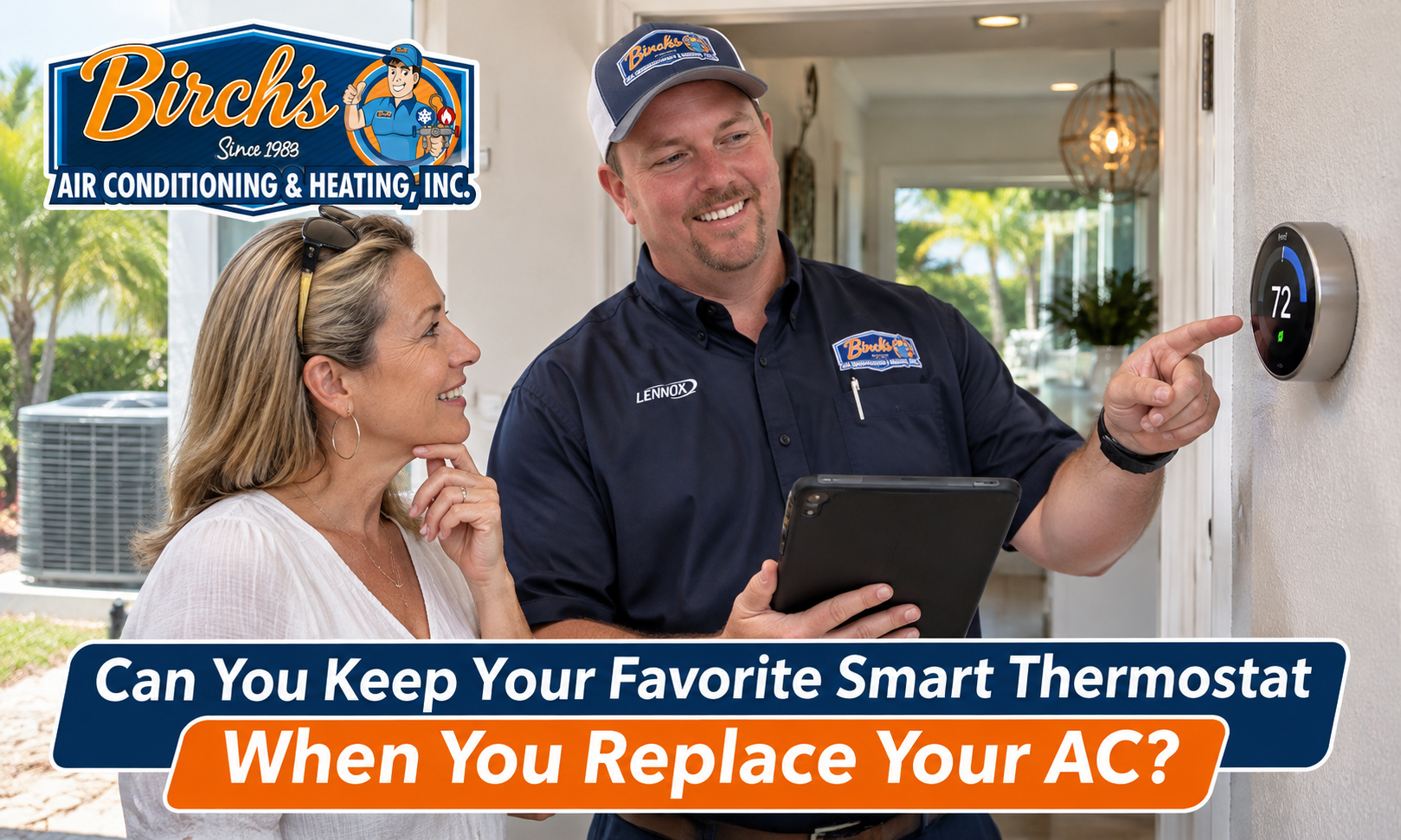
Can You Keep Your Favorite Smart Thermostat When You Replace Your AC? If you’ve spent time getting your smart thermostat just right, it’s understandable to want to keep it. Maybe a bedroom sensor helps you sleep comfortably, or your phone alerts you when the temperature rises at your seasonal home in Punta Gorda. You already know the app, your schedule is set, and the thermostat still looks good on the wall. Why replace something that works? You can often keep your smart thermostat if the new AC supports that exact model and the features you use. The best time to check is during the estimate. Ask your contractor to look at the thermostat, the proposed indoor and outdoor equipment, and how you prefer to control the house. Those details tell you whether keeping it makes sense. 1. Find out how the new system receives instructions Many residential systems use conventional controls. In simple terms, the thermostat issues a call for cooling, heating, or fan operation. Depending on the equipment, it may also call for another stage of heating or cooling. A compatible smart thermostat can handle those instructions while giving you familiar features such as scheduling and remote access. Your installer should verify the supported stages and wiring for your specific combination. Other systems use a communicating control. With this arrangement, compatible components exchange information that can support equipment setup, diagnostics, or more detailed comfort adjustments. If you’re considering a communicating system, ask the installer to show you the manufacturer’s control options for that model. Some combinations require a particular control or an interface module, and the features available can vary. 2. Give the installer the exact thermostat model “An ecobee” or “a Lennox thermostat” is a starting point, but the model matters. Look in the thermostat’s settings menu or app for its model information. If you can’t find it, take a photo of the thermostat face and have the installer identify it during the estimate. There’s no need to take it off the wall to start the conversation. Ask the contractor to check the thermostat against the proposed system. A thermostat that handled your old single-stage AC may need different capabilities for a new two-stage system or a heat pump with backup heat. Power requirements also matter. Depending on the thermostat and wiring, the installer may need to add a wire or use an approved accessory. Get that work included in the estimate so you know the installed price. 3. Make a short list of the features you’d miss Think about the last three times you opened the thermostat app. What were you trying to do? That question often tells you more about your priorities than a list of features on a product page. Remote alerts. If you spend the summer away from your Burnt Store Isles home, do you want an alert when the indoor temperature crosses a limit you choose? Room sensors. If you use a bedroom sensor at night, will the thermostat still let you select that room for your overnight schedule? Shared access. Can your partner or the person looking after the house check the temperature from their own phone? Humidity information. If you track indoor humidity, ask whether the proposed setup displays the reading and what control you’ll have over it. Give the installer your two or three must-haves. If you need a different thermostat, ask to see how its app handles those specific tasks. It’s easier to decide once you’ve seen the screen you’ll actually use. 4. Compare what each option gives you Imagine you’re replacing the AC in a Deep Creek home and have two estimates. One system supports your current thermostat, including the bedroom sensor you use every night. The other includes a manufacturer’s control with equipment alerts, but switching means replacing that sensor. Either system might suit your home. The question is whether the additional features matter enough to you to change the setup you already like. Ask each contractor to write the thermostat model and any accessories into the proposal. If one quote says only “smart thermostat included,” you still need to know which one, whether the app works the way you expect, and whether installation includes setting it up. 5. Try your everyday routine before the installer leaves Once the system is running, ask the installer to verify the equipment configuration and show you how to switch between heating and cooling. Then try one familiar task yourself. Change the set temperature from your phone, check that your room sensor appears, or confirm that the high-temperature alert has the threshold you want. If you’re heading out of town soon, this is a good time to check who will actually receive that alert. Planning an AC replacement in the Punta Gorda area? Tell Birch’s Air Conditioning & Heating which thermostat you have and which features you use most. We can check compatibility during your estimate and walk you through the controls for each system you’re considering.

Your AC Needs a Major Repair Right Before You Sell. What Are Your Options? You’re getting your Punta Gorda home ready to sell. The listing photos are scheduled, the lanai is finally clear of boxes, and then the house starts getting warm. A technician tells you the AC needs a major repair. Now you have two questions to answer. What will it take to cool the house again, and how much money does it make sense to put into a home you’re about to leave? You generally have three options. You can repair the existing system, replace it before the sale, or discuss a credit with the buyer. The best place to start is with a written diagnosis and your actual timeline. A seller with an open house next Saturday faces a different decision from someone who already has a buyer and a closing date. Start By Finding Out Exactly What Failed Before comparing prices, ask the technician to show you the problem and explain what led to the diagnosis. If the recommendation is to replace a compressor, for example, ask what tests confirmed the failure and whether anything else contributed to it. You also want to know how the indoor and outdoor equipment are holding up. A single failed component in an otherwise dependable system is a different situation from the latest breakdown in a string of service calls. Ask for a written estimate that covers four things: The component that failed and the work needed to restore cooling. The full repair price, including labor and any related materials. Any warranty coverage that applies to the failed part or the proposed repair. The earliest date the technician expects to complete and test the work. That last detail matters. A reasonably priced repair loses some of its appeal if the part won’t arrive until after the buyer’s inspection period ends. Option 1: Repair The Existing AC Repair is worth considering when the technician can identify a specific failure, the part is available, and the rest of the system is in reasonable condition. Look back through your service records. Has the AC kept the house comfortable through recent summers? Is this the first substantial repair? Those answers give you more context than the age on the equipment label alone. Suppose you’re listing a home in Deep Creek and the blower motor fails the week before professional photos. The technician finds the replacement motor locally and sees no additional problems during the evaluation. In that situation, a documented repair could get the home comfortable in time for showings and give you a straightforward answer when a buyer asks about the AC. After the work, keep the itemized invoice and ask the contractor to document how the system operated when tested. If the repair comes with a warranty, find out whether the next owner can use it and whom they would call. Option 2. Replace the System Before Listing or Closing Replacement deserves a closer look when an expensive failure comes on top of recurring problems. Maybe you’ve already paid for several service calls, the system struggles on hot afternoons, and the technician has now found a second component in poor condition. Ask for repair and replacement estimates side by side so you can see what each amount actually buys. For the replacement, get the equipment models, installation scope, expected completion date, and warranty terms in writing. Ask who handles the permit and final inspection and whether the manufacturer has different warranty terms for a subsequent homeowner. Your agent can then describe the installation accurately, and the buyer can see exactly what’s included. A new AC may remove a concern for buyers, but deciding what to spend still calls for some local perspective. Before choosing a premium upgrade, ask your agent how buyers in your price range view the improvement. A feature you’d gladly pay for if you were staying another ten years may matter less when you’re moving next month. Option 3. Discuss a Credit With the Buyer If you’re under contract, the buyer may want to choose the equipment or use an installer they already know. Give your agent the diagnosis and written estimate so the discussion starts with the actual problem and a realistic scope of work. Ask the buyer to confirm with their lender whether a credit is permitted and whether cooling must be restored before closing. Financing rules can limit how seller contributions are used. Also consider what happens between now and moving day. If you’ll occupy the house for another month, a credit at closing still leaves you without dependable cooling. Ask your agent or attorney how to document the agreement and disclose the issue. Florida sellers generally must disclose known facts that materially affect a home’s value when those facts are neither readily observable nor already known to the buyer. Make the Decision Around Your Sale Put the repair price, replacement price, parts availability, and sale deadlines on one page. If you’re preparing for showings in Punta Gorda Isles, getting reliable cooling back quickly may carry the most weight. If your buyer has already asked to select their own system, your next conversation may be with your agent and the buyer’s lender. Getting ready to sell in or around Punta Gorda? Contact Birch’s Air Conditioning & Heating to schedule an AC diagnosis. Tell us your listing or inspection date so we can explain the repair, review replacement options if needed, and help you understand what can be completed in time.

10 Questions to Ask Before Spending $10,000 on a New Air Conditioner Replacing your air conditioner is a significant investment, and you deserve to feel confident about what you’re getting. When estimates vary, comparing prices is only the beginning. Even contractors offering the same equipment can deliver different results depending on how they evaluate your home and complete the installation. At Birch’s Air Conditioning & Heating, we’ve served Southwest Florida homeowners since 1983. We believe choosing a new A/C should feel straightforward, with clear explanations and practical recommendations. These 10 questions can help you understand your options and choose a contractor with confidence. 1. How Did You Determine the Right Size for My Home? Your new air conditioner shouldn’t automatically match the size of your existing system. Your home’s insulation, windows, sun exposure, construction, and cooling needs all affect the appropriate equipment size. Ask whether your contractor will perform a Manual J load calculation to guide the recommendation. An oversized system can cool too quickly without adequately removing humidity, while an undersized system may struggle to maintain comfort during the hottest weather. Proper sizing helps your equipment provide the cooling and moisture control your home needs. 2. Have You Inspected My Ductwork? Even an excellent air conditioner can struggle when connected to leaking, restricted, or poorly sized ducts. Your contractor should evaluate the accessible supply and return ductwork and explain any problems that could affect your new system’s performance. Ask whether your ducts need repairs, modifications, or replacement—and why. Sometimes targeted improvements are enough. You should understand the condition of your ductwork before agreeing to additional work or assuming everything can stay as it is. 3. Will You Check Airflow and Static Pressure? Static pressure describes the resistance your system encounters as it moves air through the ducts. Excessive resistance can contribute to uneven cooling, noise, reduced efficiency, and unnecessary equipment strain. Ask how your contractor will measure static pressure and verify airflow against the equipment manufacturer’s requirements. These checks help identify restrictions and confirm that your new system can distribute conditioned air properly throughout your home. 4. Why Are You Recommending This System? Single-stage, two-stage, and variable-capacity systems offer different combinations of price, efficiency, and comfort control. Your contractor should explain those differences in everyday language and connect the recommendation to your priorities. Discuss concerns such as humidity, warm bedrooms, noise, and energy use. The right recommendation should reflect your home and budget, with a clear explanation of what you gain by choosing a more expensive option. 5. What Does the Installation Price Include? A detailed written proposal makes estimates easier to compare and helps prevent surprises. Ask your contractor to identify what will be replaced, what will be reused, and which improvements are included. Depending on your installation, clarify whether the price covers: Duct modifications and new plenums. Refrigerant piping and related preparation. Drainage improvements and safety switches. Thermostat installation and setup. Permits, equipment removal, and startup testing. Ask what circumstances could result in additional charges and how those changes would be approved. If you’re unsure how two proposals compare, contact Birch’s Air for a replacement consultation and a clear explanation of your options. 6. Will You Replace or Reuse the Refrigerant Lines? Refrigerant lines connect your indoor and outdoor equipment. Existing lines may be suitable for reuse, but your contractor should assess their size, condition, and compatibility with the proposed system. Ask how the lines will be prepared, pressure-tested, and evacuated according to manufacturer requirements. These steps help protect the system from leaks, moisture, and contaminants that can affect reliability. 7. How Will You Confirm Everything Works Correctly? A completed installation should include more than turning on the equipment and checking for cool air. Ask whether the crew follows a documented startup procedure and records the results. That process should include appropriate checks of: Refrigerant charge and airflow. Static pressure and electrical operation. Condensate drainage and safety controls. Thermostat settings and system operation. Before the crew leaves, you should also receive an explanation of how to operate your thermostat and maintain your system. 8. Who Will Install My Air Conditioner? Ask whether employees or subcontractors will perform the installation, who supervises the work, and who handles any corrections. Either arrangement should come with clear accountability and technicians qualified to install your equipment. You should also verify the contractor’s licensing and insurance. Knowing who is responsible for your project helps you feel comfortable with both the installation and the support afterward. 9. What Does the Warranty Actually Cover? A manufacturer’s parts warranty doesn’t necessarily cover labor, refrigerant, or every expense associated with a repair. Ask for written details so you understand the protection included with your purchase. Review these items before signing: Parts and labor coverage periods. Registration deadlines and responsibility. Maintenance requirements and exclusions. Potential service charges and refrigerant costs. Who to contact for warranty service. 10. Would You Recommend This System for Your Own Home? This question gives your contractor an opportunity to explain the reasoning behind the proposal. Would they prioritize duct improvements, spend more for enhanced humidity control, or choose a simpler system? A helpful answer should explain the benefits and limitations of each option without pressuring you. You deserve enough information to decide which improvements are worth the investment for your household. Choose a Company That Welcomes Your Questions Your contractor’s experience, reputation, and willingness to explain the work matter. Look for thoughtful answers, a clear written proposal, and a company prepared to support you after installation. At Birch’s Air, our approach is to: Evaluate your home’s cooling requirements. Inspect existing ductwork and recommend practical improvements. Explain equipment options that fit your needs and budget. Provide professional installation and transparent pricing. Stand behind our work. Feel Confident About Your Next A/C Investment If you’re considering a replacement, schedule an evaluation with Birch’s Air Conditioning & Heating. We’ll help you understand your home’s needs, review your options, and make an informed decision without unnecessary pressure. Locally owned and serving Southwest Florida since 1983, we proudly help homeowners in Port Charlotte, Punta Gorda, Englewood, Rotonda, and surrounding communities enjoy dependable comfort. Contact Birch’s Air today to schedule your A/C replacement consultation.
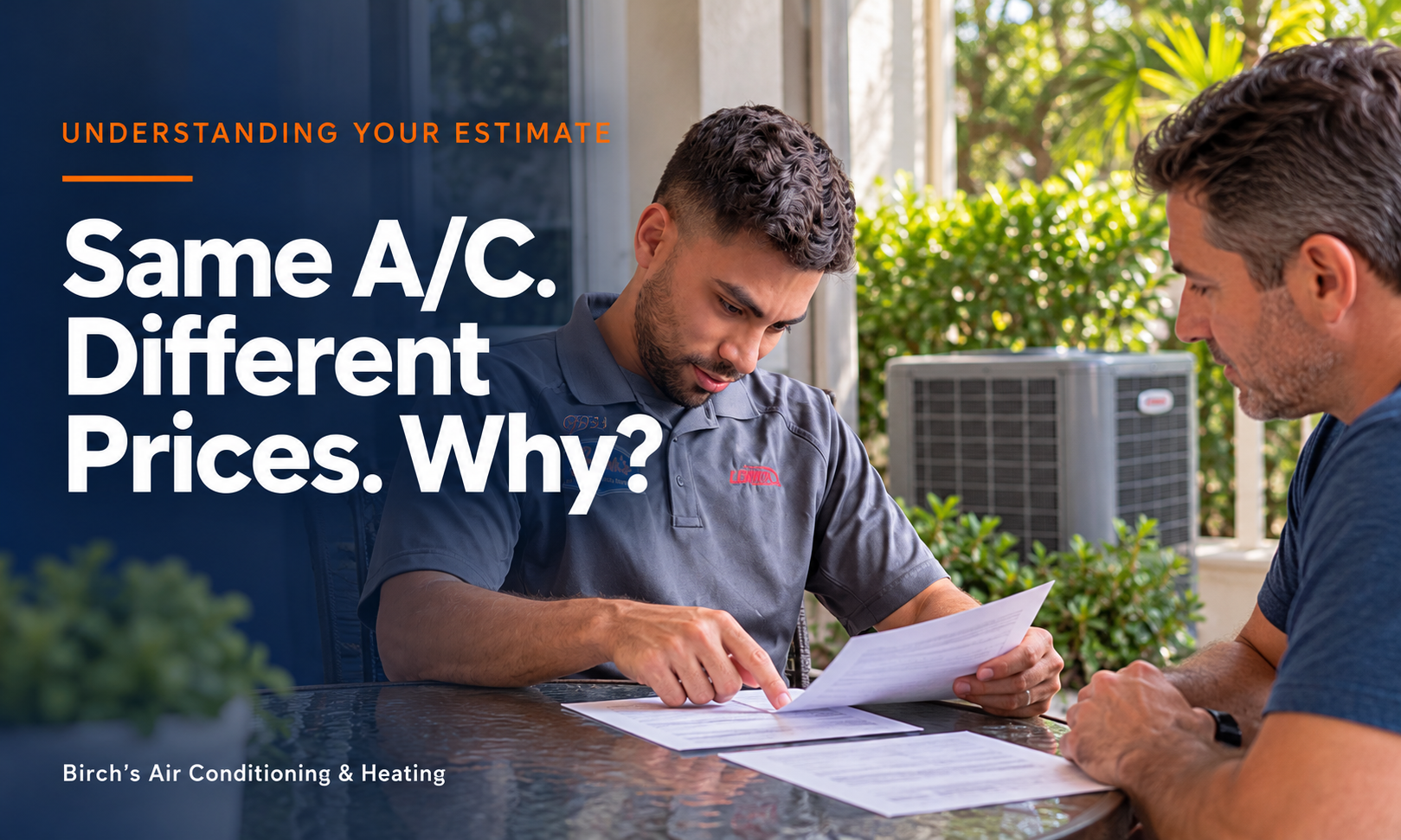
Why Are AC Replacement Quotes So Different? A Southwest Florida Homeowner’s Guide You’ve decided to replace your air conditioner, contacted a few local companies, and received three estimates. One is $8,500, another is $10,000, and the third is $12,000. All three recommend a three-ton system, so why are the prices thousands of dollars apart? It’s a fair question, especially when you’re trying to make a smart investment in your home’s comfort. At Birch’s Air Conditioning & Heating, we want you to feel confident about both the equipment you choose and the company installing it. Understanding what each proposal includes—and why certain work is recommended—can make those price differences easier to evaluate. Here’s what to look for before making your decision. The Same Size AC Doesn’t Mean the Same Installation It’s natural to compare equipment brands, efficiency ratings, and prices first, but those details tell only part of the story. Two systems with the same cooling capacity can offer different features, warranty coverage, and levels of humidity control. Even when contractors recommend identical equipment, their installation proposals may include different work. One estimate might cover replacing the equipment and reconnecting existing components, while another also addresses restricted return airflow, drainage problems, or ductwork issues. Those improvements can influence how well your new system performs. Before comparing the final prices, make sure you understand the complete installation each contractor is proposing. What Can Make One Estimate Higher? A higher estimate should come with a clear explanation of the additional value. Differences between proposals may include: Equipment selection: Different models, efficiency ratings, and comfort features. Ductwork and airflow: Repairs, modifications, or improvements to return airflow. Refrigerant piping: Replacing existing lines or preparing them for reuse when appropriate. Electrical work: Updates to connections, disconnects, or other necessary components. Drainage protection: Condensate drain improvements and overflow safety controls. Installation and testing: Labor, startup procedures, and performance checks. Permits and warranties: Permit costs and the scope of parts and labor coverage. Company operating costs vary as well, so price alone won’t tell you which contractor offers the best installation. A higher quote doesn’t automatically mean better workmanship, and a lower quote doesn’t necessarily mean something is missing. What matters is whether the proposed work addresses your home’s needs and whether the contractor explains it clearly. Give the Contractor You Trust Another Conversation Perhaps one company answered your questions thoroughly, evaluated your existing system carefully, and made you feel comfortable—but its estimate came in higher. Before crossing that company off your list, give it an opportunity to explain the difference. You may discover that its proposal includes important work or coverage that another estimate leaves out. You could say, “I feel most comfortable with your company, but I received a lower estimate. Can we compare what’s included and see whether there’s an option that fits my budget?” That opens the door to a useful discussion about equipment choices, installation needs, and possible savings. A trustworthy contractor should welcome your questions and help you understand your options. Can You Negotiate an AC Replacement Estimate? You can certainly ask about pricing flexibility, available promotions, or alternative systems. Sometimes choosing equipment with fewer premium features can reduce the upfront cost while still meeting your comfort needs. The key is to understand the tradeoffs and preserve the installation work necessary for the system to operate properly. Ask which items are essential, which are optional, and how any proposed changes would affect performance or warranty coverage. Any agreed adjustments should appear in the written estimate so everyone understands the scope of work. If you’re unsure how two proposals compare, contact Birch’s Air for a second opinion and a straightforward explanation of your options. Installation Details Worth Checking Regardless of which company you choose, make sure its proposal addresses the details that affect comfort, operating costs, and long-term reliability. These questions can help you compare estimates more confidently: Proper equipment sizing: How did the contractor determine the right cooling capacity for your home? Supply and return airflow: Can the existing airflow support the proposed equipment? Ductwork condition: Were leaks, restrictions, or damaged sections evaluated? Refrigerant piping and charging: What will be reused or replaced, and how will the refrigerant charge be checked? Condensate drainage and safety controls: How will water drain, and what overflow protection is included? Required permits and installation testing: Who handles permits, and how will system operation be verified? Clear warranty coverage: What parts and labor are covered, for how long, and under what conditions? You don’t need to become an HVAC expert to make a good decision. You simply need clear answers about what you’re purchasing and why it’s recommended. A detailed written proposal makes those answers easier to review and helps prevent misunderstandings. When Paying a Little More May Make Sense Imagine comparing a $9,500 proposal with one for $10,200. The $700 difference works out to approximately $5.83 per month when spread over ten years. That isn’t a financing payment or a guarantee of savings, but it can help put the upfront difference into perspective. If that additional cost covers necessary airflow improvements, more complete installation work, or stronger labor warranty coverage, it may be worthwhile. The higher price should still come with a clear explanation of the value you’re receiving. Ask the contractor to show you what the difference provides so you can decide whether it matters for your home. Honest Answers From Birch’s Air Since 1983, Birch’s Air Conditioning & Heating has helped Southwest Florida homeowners make informed decisions about their comfort. We believe a good recommendation begins with understanding your home, evaluating your existing system and ductwork, and listening to your concerns about performance and budget. Our goal is to recommend improvements that make sense for your situation. You shouldn’t feel pressured to purchase the most expensive equipment or replace ductwork without a clear explanation of why it’s needed. Whether you’re considering your first estimate or comparing several proposals, you deserve practical options and honest answers. We’re happy to discuss your concerns and help you understand the work we recommend. Get Clarity Before Choosing Your New AC System Comparing AC replacement estimates? Contact Birch’s Air to schedule an evaluation or request a second opinion. We’ll explain our recommendations, answer your questions, and help you find the right balance of comfort, installation quality, and price. We proudly serve Port Charlotte, Punta Gorda, Englewood, Rotonda, and surrounding Southwest Florida communities. Let’s find the right system for your home and make sure it’s installed the right way.
Why Fall and Winter Are the Smartest Times to Replace Your Air Conditioner in Southwest Florida Cooler Attics. Better Airflow. Smarter Installations. Fair Pricing. In Southwest Florida, we rely on our air conditioning systems for most of the year. But if your system is getting older, struggling to keep up, or becoming increasingly expensive to repair, when you choose to replace it can make a real difference. Fall and winter can be some of the best times to replace an air conditioning system because cooler weather gives homeowners more time to plan, compare options, address airflow concerns, and avoid making a rushed decision during the peak of summer. At Birch’s Air Conditioning & Heating , we’ve been serving Southwest Florida homeowners since 1983. After more than four decades in the HVAC industry, we’ve seen firsthand how much easier it can be to properly evaluate and improve a home’s entire comfort system during the cooler months. And one of the biggest advantages is something many homeowners never consider: your attic. Cooler Attics Create Better Opportunities for Ductwork Improvements During a Southwest Florida summer, attic temperatures can easily climb well above 120°F. Those extreme conditions make attic work more difficult and require technicians to take additional precautions and breaks to avoid heat-related illness. During fall and winter, attic temperatures become far more manageable. That makes the cooler months an excellent time to inspect your home’s ductwork, identify airflow restrictions, repair leaks, improve return-air capacity, and make other important improvements that can be much more difficult during the summer. Better working conditions can also allow technicians to complete extensive duct modifications more efficiently, helping keep unnecessary labor costs under control. If you already know your A/C system may need to be replaced soon, scheduling an evaluation before the summer rush gives you the opportunity to understand your options without the pressure of an emergency breakdown. Call Birch’s Air today to schedule a system and airflow evaluation before Southwest Florida’s hottest weather returns. A New Air Conditioner Is Only as Good as the Airflow Behind It Modern air conditioning systems are more efficient and sophisticated than ever. But even the best equipment cannot perform the way it was designed to without proper airflow. Many Southwest Florida homes have duct systems that are undersized, poorly balanced, leaking, damaged, or simply showing their age. These issues can contribute to: Rooms that never seem to cool properly Uneven temperatures throughout the home Excessive humidity Higher electric bills Longer system run times Increased wear on HVAC equipment Reduced overall comfort Replacing your air conditioner provides an ideal opportunity to evaluate the entire air-distribution system instead of simply replacing one piece of equipment. At Birch’s Air, we believe proper equipment sizing and proper airflow go hand in hand. Both play an important role in comfort, efficiency, humidity control, and the long-term life of your new system. You May Not Need to Replace All Your Ductwork One of the most important things homeowners should know is that a new air conditioner does not automatically mean you need an entirely new duct system. In many homes, targeted improvements can make a significant difference. That may include enlarging a restrictive return-air duct, improving a supply run, repairing a distribution box, sealing leaking connections, or correcting another specific airflow problem. Other homes may benefit from a complete duct replacement, particularly when the existing duct system is badly deteriorated, poorly designed, leaking extensively, or no longer appropriate for modern HVAC equipment. Our approach is straightforward: Evaluate what you have. Keep what works. Improve what doesn’t. Replace only what is necessary. The goal is not to sell homeowners more work. The goal is to create a system that delivers the comfort and efficiency they expect while keeping the project practical and cost-effective. Why Fall and Winter Can Be Better for Your Budget When an air conditioner stops working in the middle of July or August, homeowners are often forced to make a major decision very quickly. You need cooling immediately, which can leave little time to compare equipment, discuss efficiency options, evaluate ductwork, or carefully plan the installation. Fall and winter give you something extremely valuable: time. Instead of reacting to an emergency, you can make a planned decision. You can compare system options, consider energy-efficiency upgrades, address airflow concerns, ask questions, review financing options if needed, and schedule the installation at a time that works better for your household. Cooler attic temperatures can also make larger ductwork projects and airflow improvements easier to complete. The result is an opportunity for a better-planned installation at a fair, competitive price. Don’t Wait Until Next Summer to Find Out Your A/C Is Worn Out If your air conditioner struggled through this past summer, now is the time to pay attention. Warning signs can include a system that runs almost constantly, rising electric bills, rooms that remain warmer than others, frequent repairs, excessive indoor humidity, unusual noises, or an air conditioner that simply no longer keeps your home as comfortable as it once did. Those problems may not seem urgent during cooler weather, but they often become much more noticeable once Southwest Florida temperatures begin climbing again. A properly sized modern HVAC system combined with properly designed airflow can provide: More consistent temperatures Improved humidity control Quieter operation Better energy efficiency Reduced equipment strain Greater overall comfort Most importantly, replacing an aging system before it fails can give you peace of mind knowing your home is prepared before the next Southwest Florida summer arrives. Experience Makes the Difference At Birch’s Air Conditioning & Heating, replacing an air conditioner means more than removing one piece of equipment and installing another. We take the time to look at the entire comfort system , including equipment sizing, return-air capacity, supply ductwork, airflow, insulation concerns, and the overall condition of your HVAC system. Whether your home needs a few practical duct modifications, a complete duct replacement, or simply the right new air conditioning system, our goal is to recommend the solution that makes the most sense for your home and your budget. Locally Owned. Serving Southwest Florida Since 1983. Over 525 Five-Star Reviews. Proudly serving homeowners throughout Port Charlotte, Punta Gorda, Englewood, Rotonda, and surrounding Southwest Florida communities. Make This Fall or Winter the Season You Get Ahead You don’t have to wait for your air conditioner to fail on the hottest day of the year. If your current system is getting older, struggling to cool your home, or costing more to operate, let Birch’s Air take a look while you still have time to make an informed decision. We can evaluate your air conditioning system, inspect your airflow and ductwork, explain what is working properly, and show you where improvements may make sense. Better Airflow. Better Comfort. Better Value. Contact Birch’s Air Conditioning & Heating today to schedule your A/C system evaluation and start planning before the summer heat returns. And if you’re not sure whether replacement is necessary yet, that’s okay too. Schedule an evaluation and let our team help you understand the condition of your current system, what improvements may be worthwhile, and whether repairing or replacing makes the most sense for your home. Birch’s Air Conditioning & Heating Doing it right since 1983.
10 Things to Expect During an AC Replacement Estimate at Your Home If you’re thinking about replacing your air conditioner, you may be wondering what happens during an in-home estimate. Will the contractor inspect your ductwork, go into the attic, or take measurements? How long should the appointment last, and what information should you have ready? Knowing what to expect can help you feel prepared and get more value from the visit. At Birch’s Air Conditioning & Heating, we believe a successful installation starts with understanding your home and listening to your concerns. Since 1983, we’ve helped Southwest Florida homeowners make informed decisions about their comfort. Here are ten things to expect from a professional replacement consultation. 1. Enough Time for a Thorough Evaluation Plan to allow approximately 60 to 90 minutes for an initial consultation, although the time needed will depend on your home. A straightforward replacement may take less time, while larger homes, multiple systems, difficult attic access, or significant ductwork concerns may require two hours or more. Detailed calculations or additional diagnostic testing may involve follow-up work. The length of the appointment alone doesn’t determine its quality. What matters is what the contractor evaluates and explains. Before accepting a proposal, make sure you understand how the recommended equipment was selected and whether important questions about sizing, ductwork, or installation remain unresolved. 2. A Little Preparation Before the Visit Clear access to your thermostat, indoor air handler, outdoor unit, and attic entrance where applicable. Have any available repair records or equipment information nearby, and think about what you would like your new system to improve. You don’t need to climb into the attic or inspect anything yourself. Make a note of rooms that stay warm, uncomfortable humidity, excessive noise, frequent repairs, or changes in your electric bills. Mention improvements such as new windows, added insulation, or an enclosed lanai, since those changes may affect your cooling needs. Sharing your budget and comfort priorities also helps the contractor recommend practical options. 3. A Conversation About Your Comfort Before recommending equipment, the contractor should ask how your current system performs. Does it keep up on hot afternoons? Are some bedrooms warmer than the rest of the house? Does your home feel damp even when the thermostat shows the temperature you selected? These details help identify concerns that a simple equipment swap might not resolve. Your experience should guide the evaluation, giving the contractor a better understanding of what needs attention and what you hope to achieve. 4. An Evaluation of Your Home’s Cooling Needs Replacing a four-ton air conditioner doesn’t automatically mean your home needs another four-ton system. Square footage, ceiling heights, windows, insulation, sun exposure, and other building characteristics all influence cooling requirements. Changes made since the original installation can also affect the appropriate size. A Manual J load calculation is a recognized method for evaluating those requirements. Ask how the contractor will determine the right capacity and whether that calculation is included or requires follow-up work. The recommendation should reflect your home’s needs rather than simply matching the old unit. 5. An Inspection of Accessible Ductwork Your contractor should evaluate accessible supply and return ducts for visible damage, deteriorated insulation, loose connections, and restrictions. In Southwest Florida homes with attic ductwork, these conditions can affect how effectively cooled air reaches your living spaces. The contractor should explain any areas that couldn’t be inspected and whether further evaluation is needed. Some homes benefit from a few targeted repairs, while others may need more extensive improvements. You should understand why any recommended work is necessary and what it is expected to accomplish. Replacing ductwork shouldn’t be an automatic recommendation, but assuming existing ducts are adequate without evaluating them can overlook important problems. 6. A Discussion About Airflow Your contractor should consider whether the existing supply and return system can support the proposed equipment’s airflow requirements. Restricted airflow can contribute to uneven temperatures, excessive noise, and reduced performance. Addressing those concerns during planning can help prevent existing comfort problems from carrying over to the new installation. Depending on the condition of your system, static pressure measurements or other diagnostics may be appropriate. Ask whether testing is included in the consultation or requires a separate appointment. Any recommended airflow improvements should be explained in terms you can understand. 7. A Review of Equipment Locations and Installation Conditions The indoor and outdoor equipment locations help determine the scope of the replacement. Your contractor should assess available space, service access, equipment clearances, electrical requirements, refrigerant piping, and condensate drainage. For an attic air handler, access and drainage protection deserve particular attention. These checks help identify necessary installation work before the project begins. If something needs to be changed or evaluated further, you should understand why and how it could affect the proposal. 8. Equipment Options You Can Understand You should receive a practical explanation of the available equipment choices, including single-stage, two-stage, and variable-capacity systems where appropriate. The discussion should connect those options to your priorities, such as humidity control, noise, efficiency, upfront cost, and warranty coverage. Ask what you gain by moving to a more expensive option and whether those benefits address your concerns. A helpful recommendation gives you enough information to choose confidently without making you feel pressured to buy features you don’t need. 9. A Clear Written Proposal Your written estimate should identify the proposed equipment, included installation work, necessary modifications, permits, warranty coverage, and known exclusions. If ductwork improvements are recommended, the proposal should explain their purpose. You should also know whether additional testing or unresolved conditions could affect the final price. If the proposal isn’t ready at the end of the visit, the contractor should explain what remains to be evaluated and when you can expect it. Clear documentation makes it easier to compare options and understand exactly what you’re purchasing. 10. Time to Ask Questions and Understand the Next Steps Before the consultation ends, you should understand the recommendations, any outstanding questions, and what happens next. Ask about the anticipated installation schedule, how long your cooling may be interrupted, and what you’ll need to do to prepare. If further testing or design work is needed, make sure you know how it will be handled. You should also have an opportunity to review the proposal without feeling rushed into a decision. A professional consultation should leave you better informed and more confident about your options. Your questions are an important part of getting the project right. Schedule Your Replacement Consultation With Birch’s Air At Birch’s Air Conditioning & Heating, we believe the estimate is where a quality installation begins. Our approach centers on proper sizing, airflow, clear recommendations, and fair pricing. Whether your home needs a straightforward replacement or additional comfort improvements, we’ll help you understand the options. Contact Birch’s Air to schedule your AC replacement consultation. We proudly serve Port Charlotte, Punta Gorda, Englewood, Rotonda, and surrounding Southwest Florida communities, helping homeowners move forward with honest answers and confidence.

Here's why a New Air Conditioner Cost So Much More Than It Used To?
Birch's Air: “How Much Does a New AC System Cost in Southwest Florida in 2026?” The best way to look at installing a new AC system.